FeyExtractor
Welcome to the download page for FeyExtractor, an exceptional software developed by Fey Tools, designed specifically for Windows 10 users. FeyExtractor is a powerful and user-friendly audio extraction tool ...

FeyExtractor is a Windows utility for ripping Audio CDs and converting audio files into formats such as WAV, MP3, OGG, VQF and APE. Jitter correction helps control reading errors, while normalization makes volume more consistent. It can retrieve track information from CDDB or a disc INI file, edit ID3 tags, create PLS and M3U playlists, and play media internally.
| Author: | FeyTools |
| License: | Freeware |
| Price: | FREE |
| Released: | Feb 19, 2017 |
| File size: | 5.40 MB |
| Downloads: | 224 |
| Keywords: | audio normalization tool, Windows 10 compatible, Extractor, CD Grabber, music playlist creator, audio converter, Ripper, FeyTools, CD Ripper, x64 software, CD Extractor, cd to mp3 converter, cd track lookup, audio file converter, Grabber, audio CD ripping, audio cd ripper, FeyExtractor |
| Author URL: | http://www.feytools.com/ |
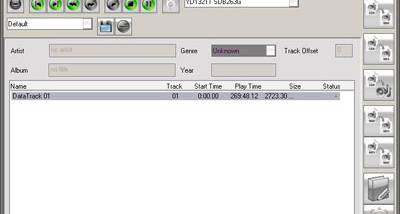

FeyExtractor is a Windows audio utility for copying tracks from Audio CDs and converting audio files into formats suited to a computer-based music collection. It is intended for people who want to archive discs as digital files, organize track information and prepare music for playback on portable devices. Its workflow combines CD extraction, format conversion and basic playback in one application.
When extracting a CD, FeyExtractor can use jitter correction to help control errors during reading. It also normalizes audio files, adjusting their levels for more consistent volume across a collection. Track details can be read from an INI file on the CD or retrieved through the online CDDB database, reducing the need to enter titles and other track information by hand. These tools are useful when processing multiple discs whose tracks need to be identified and kept in order.
The program works with audio formats and encoders including WAV, MP3, OGG, VQF and APE, and can transcode compressed audio files. ID3 version 1 and version 2 tags provide a way to store track metadata in supported files. FeyExtractor can also create PLS and M3U playlists, allowing extracted tracks to be grouped for use in compatible media players. A built-in player offers a way to listen to media within the application, while analog input recording supports capturing audio through a computer's line input.
A typical use is to extract an Audio CD, identify its tracks through CDDB or local disc information, and save the results in a chosen supported format. Normalization and jitter correction can be applied as part of preparing those files, while tags and playlists help make a growing library easier to browse and play. The conversion and analog recording functions also support working with audio that is already stored on the computer or supplied through an input connection.
FeyExtractor is freeware. The supplied operating-system information includes Windows versions through Windows 10; Windows 11 compatibility is not established here. Its feature set centers on local audio conversion and CD handling, with CDDB lookup requiring an internet connection. Supported formats and encoders can vary according to the installed software environment, so users should check their system when planning a particular conversion workflow.