FinePrint Server Edition
FinePrint Server Edition is a Windows printer driver for ... resources without maintaining separate copies on each machine. FinePrint's printer-driver workflow lets users work with print output ...

FinePrint is a Windows virtual printer that lets users preview and adjust documents before printing from other applications. It can remove pages, crop content, add text, lighten or grayscale pages, and reduce ink use by removing graphics or text sections. Duplex and multiple-pages-per-sheet layouts help save paper, while reverse-order printing, electronic letterhead, signing, markup and archiving support everyday print workflows.
| Author: | Fineprint |
| License: | Demo |
| Price: | $100.00 |
| Released: | Oct 6, 2026 |
| File size: | 26.30 MB |
| Downloads: | 724 |
| Keywords: | printer, Fine Print, print preview software, document management, fineprint virtual printer, print watermark, virtual printer, FinePrint software, Fineprint developer, pdf printer, Windows 10 compatible, virtual, add watermark to print jobs, print multiple pages per sheet, save paper when printing, print, print preview, x64 platform, grayscale print utility |
| Author URL: | https://fineprint.com/ |

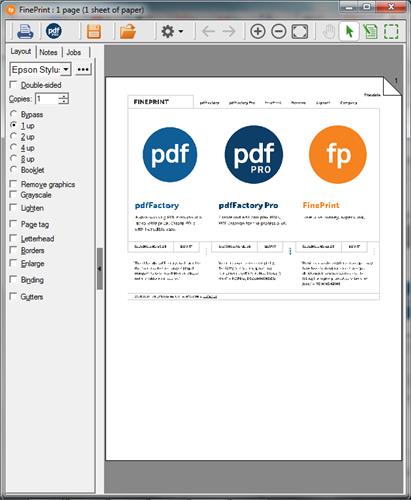
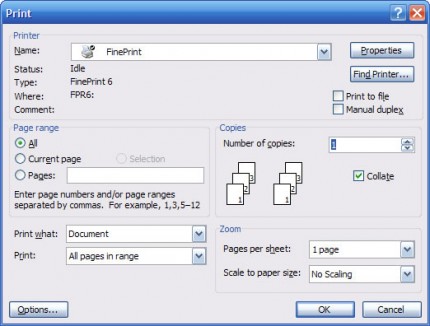



FinePrint is a Windows virtual printer for reviewing and adjusting print jobs before they reach a physical printer. It works from the print command in other applications, making it useful for office staff and anyone who regularly prints long documents, drafts or mixed-content files. Instead of changing the source document, users can inspect pages in FinePrint and make print-focused edits in its preview window.
The preview tools help remove unnecessary content and arrange pages for a more efficient printout. Users can delete unwanted pages, insert blank pages, crop sections and add text. For jobs with graphics or heavy shading, FinePrint can lighten content, convert pages to grayscale or remove graphics and text sections to reduce ink use. These controls are intended for preparing output, rather than editing the underlying document as in a word processor.
Page layout options can reduce paper use by printing on both sides or placing multiple document pages on one sheet. FinePrint can also print pages in reverse order, which can make a large job easier to collect in sequence on printers that deliver pages face up. Electronic letterhead can be applied to documents, while signing, marking up and archiving tools support common review and record-keeping workflows.
Because FinePrint is installed as a printer, it can be selected from applications that provide a print function. This lets users apply the same preview and page-handling tools to documents from different programs, rather than relying on a separate editing feature in each one. It is suited to checking a job, removing pages that do not need to be printed, and choosing a layout before sending the final output to paper or saving it to a file.
FinePrint is distributed as demo software and supports Windows 10 and Windows 11, as well as earlier Windows versions. It is a practical option for reducing waste and managing print jobs, but its tools affect the prepared print output rather than replacing a full document editor or the printer driver used for final physical printing.