G DATA Antivirus
G DATA Antivirus is Windows security software for home users who want protection against viruses, trojans, ransomware and other malware. It combines two scanning engines with real-time monitoring, ...

G DATA TotalSecurity combines antivirus protection, a firewall and tools for safer browsing and online banking. Two scanning engines, behavior monitoring and CloseGap technology help identify threats, while Web Cloud and Mail Cloud check websites and email. It also includes automatic file or system-image backups, protected DataSafe storage, security tuning and antivirus protection for Android smartphones.
| Author: | G DATA Software AG |
| License: | Trialware |
| Price: | $49.95 |
| Released: | Jan 23, 2024 |
| File size: | 17.40 MB |
| Downloads: | 341 |
| Keywords: | antispyware, security software with backup, antivirus, G DATA Software AG, pc malware protection, g data totalsecurity, Internet security, antivirus software, user-friendly interface, malware, internet security suite, Windows 10 compatible, antivirus with firewall, security suite, x64 software, comprehensive protection, g data antivirus, G DATA TotalSecurity |
| Author URL: | https://www.gdatasoftware.com/ |

G DATA TotalSecurity is a security suite for Windows PCs that combines antivirus protection with tools for safer browsing, online banking and data storage. It is intended for home users who want protection against malware and network threats alongside backup and system-security features in one application. Protection runs in the background, while configurable settings let users adjust how the suite handles security tasks.
Its antivirus component combines two scanning engines to detect known threats, while behavior monitoring can flag suspicious activity associated with new or unfamiliar malware. CloseGap technology adds another layer of protection, and fingerprinting helps avoid repeatedly processing files that have already been checked. Scans can also run when the computer is idle, reducing interference during active use. Web Cloud checks websites for danger, Mail Cloud helps block virus outbreaks delivered by email, and BankGuard is designed to protect online banking sessions from banking Trojans.
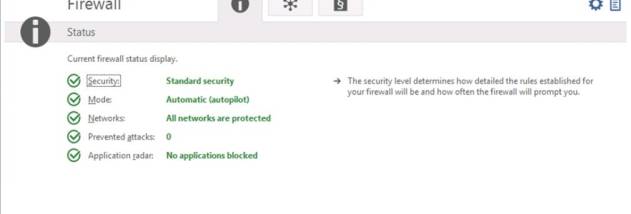
A firewall monitors network activity to help defend against hacking attempts. It operates in the background, and security settings can be configured to control protection without requiring constant attention. Security tuning checks aspects of Windows and browser configuration, helping users address settings that may weaken protection. These tools complement the antivirus rather than replacing careful handling of downloads, links and personal information.
For data protection, the suite can create automatic backups of personal files or complete system images, providing a way to restore data after loss. DataSafe provides protected storage for confidential information such as passwords. Together, these features are useful for households that want to keep important files backed up and sensitive data stored separately from everyday documents. The package also includes antivirus protection for Android smartphones.
G DATA TotalSecurity is offered as trialware and supports Windows 10 and Windows 11, as well as earlier Windows releases. It is suited to users looking for a combined security and backup package rather than a standalone antivirus scanner. Backup schedules and security settings should be reviewed so they match the files, devices and level of protection each user needs.