Greenfoot for Windows 10 - Full description
Greenfoot is an open-source programming environment for learning Java through interactive visual projects. It is aimed at beginners, students and teachers who want to explore programming by building simulations, games and other graphical programs. Rather than starting with abstract code alone, users work with a visible world containing actors, then write Java instructions that determine how those actors behave. This approach connects programming concepts to immediate, observable results.
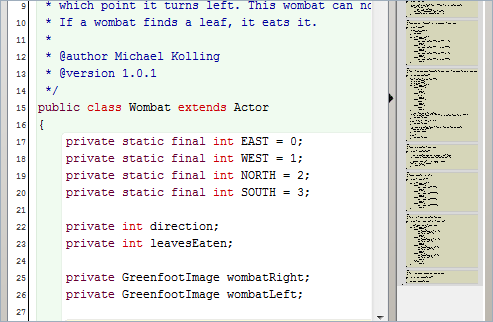
A project is organized around a world and the actors placed in it. Users can create and arrange objects, then define their actions in the code editor. Running the scenario shows how the Java code changes what happens on screen, making it easier to test an idea, spot a problem and revise the instructions. The visual workspace helps learners relate classes and objects to elements in a working program, while the editor provides a path into writing and understanding Java syntax. Greenfoot supports experimentation: changes can be tried in context instead of being limited to reading examples.
The environment is suited to teaching object-oriented programming and computational thinking in manageable steps. A teacher can use projects to introduce concepts through practical exercises, while students can build on a simple scenario as they learn to describe behavior, organize code and solve problems. Tutorials and lesson materials can support classroom work and self-guided practice. The ability to see a program in action also makes Greenfoot useful for demonstrating how a small code change affects a simulation or game.
Greenfoot can also serve hobbyists who want a focused way to make small Java-based graphical projects. A scenario can be developed through repeated cycles of arranging the world, editing actor behavior and running the result. Users can share projects and explore work from others, gaining examples and inspiration beyond their own exercises. The same workflow suits both guided assignments and independent experiments, without requiring a project to be a complete commercial game or application.
Greenfoot runs on 64-bit Windows 10 and Windows 11 and is available as open-source software at no cost. Its focus is specifically on learning and creating with Java in an actor-and-world model, rather than serving as a general-purpose development environment for every kind of application. The visual setup lowers the barrier to a first project, while the Java code provides experience with a widely used programming language that learners can continue studying outside Greenfoot.