Fluent Search
Fluent Search is a desktop launcher for finding items across a Windows computer and browser activity. ... something without manually switching through every window. A search starts with a keyword, and Fluent Search returns ...

grepWin searches and replaces text across files using regular expressions, making it useful for code, configuration files and document collections. Users can choose a target folder, narrow results by file type, size or modification date, and exclude locations. A results preview helps check proposed changes before replacements are applied, and Explorer context-menu integration provides quick access to folder searches.
| Author: | Stefan Küng |
| License: | Open Source |
| Price: | FREE |
| Released: | Jul 8, 2025 |
| File size: | 1.80 MB |
| Downloads: | 263 |
| Keywords: | search file, open-source utility, search, GitHub project, find, search and replace files, finder, grepWin review, Google software, Windows 10 application, x64 compatibility, file search, find text in files, replace file, regular expression tool, regex file search, bulk text replace, file content search |
| Author URL: | https://tools.stefankueng.com/ |
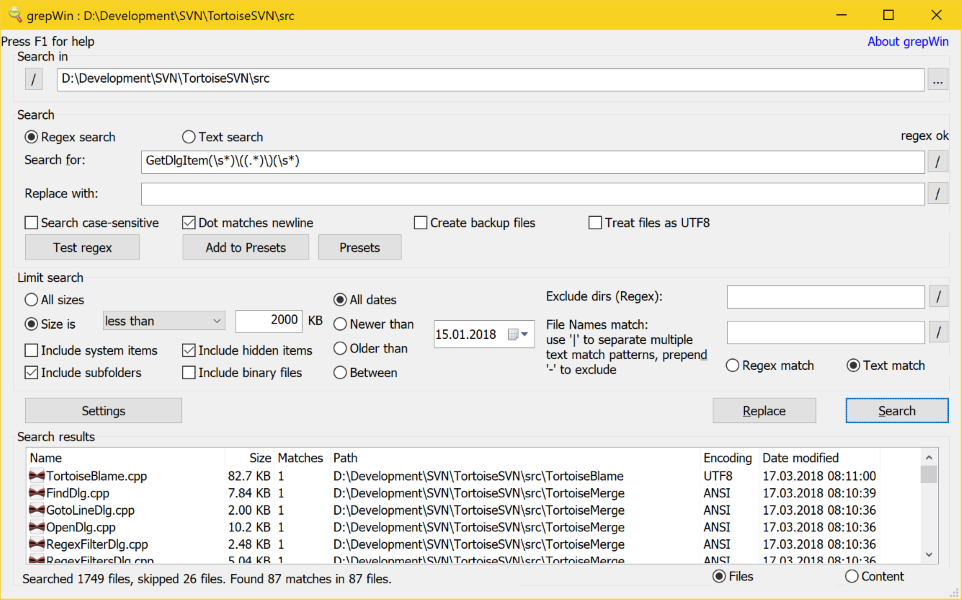



grepWin is a Windows utility for searching and replacing text in files, suited to developers, administrators and anyone who needs to make changes across a collection of documents. It applies regular expressions, allowing searches to match patterns rather than only fixed words. This makes it useful for locating structured text, repeated formats or variations that would be difficult to find with a basic file search.
A search starts by choosing a folder and entering the text or regular expression to find. Users can narrow the scope with filters for file types, file size and modification date, or exclude files and directories that should not be included. These controls help focus a search on relevant source code, configuration files or other text-based content instead of scanning an entire directory indiscriminately.
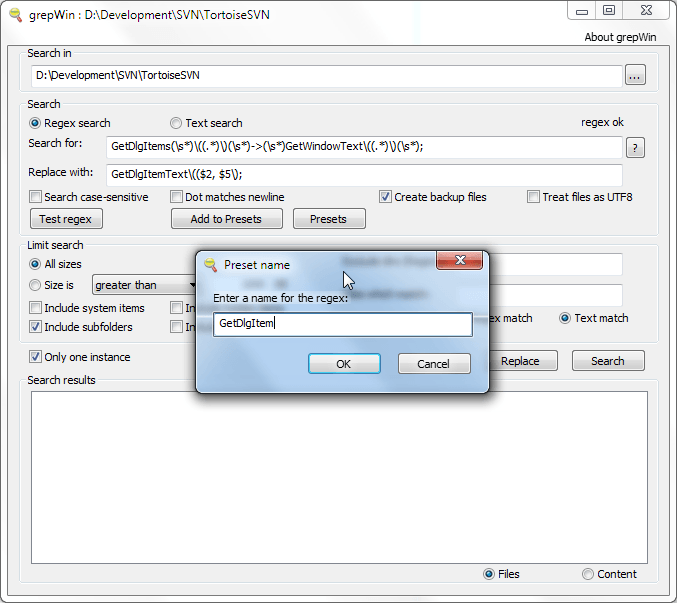
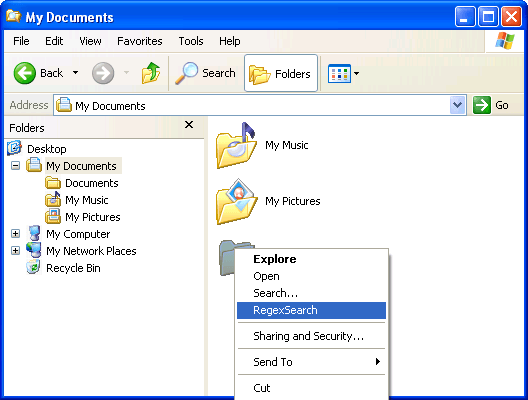
For bulk editing, grepWin can replace matching text in multiple files. Its results view lets users inspect the matches and proposed replacements before applying changes, providing a chance to check that the pattern targets the intended content. This review step is especially helpful when a regular expression matches many lines or when a replacement affects a shared codebase. Searches can also be launched from Windows Explorer through the folder context menu, so a selected location can be passed into the utility without manually browsing to it first.
Typical uses include renaming repeated identifiers in source files, updating values in configuration files, correcting recurring text across documents, and finding instances of a pattern in a project directory. Regular expressions make more specific tasks possible, such as matching text that follows a particular format; users who only need a straightforward search can enter ordinary text instead. Because results are gathered across files, grepWin can handle edits that would otherwise require opening each file individually.
grepWin is open-source software and is available at no charge. It is designed for Windows and supports Windows 10 and Windows 11, as well as earlier Windows releases. Its focus is local file search and replacement rather than general document editing: it finds matching content, presents results for review and applies requested changes to the targeted files. Users should take care with broad replacement patterns and keep backups of important files before making bulk edits.