DOSShell
DOSShell is a graphical launcher and entry manager for running DOS applications through the DOSBox emulator. It is intended for people who want to start classic DOS games and programs without entering commands at a ...

DOSShell is a graphical launcher and entry manager for DOS applications that works with the DOSBox emulator. It lets users create, edit and delete application entries, then start programs from a list instead of typing commands at a DOS prompt. It is useful for organizing older games and software, while DOSBox handles emulation. DOSShell is freeware.
| Author: | Loonies Software |
| License: | Freeware |
| Price: | FREE |
| Released: | Apr 15, 2013 |
| File size: | 256 kB |
| Downloads: | 353 |
| Keywords: | DOSShell Portable, dos program manager, dos game launcher, software review, run dos games, DOS, DOS emulator, dos application launcher, launcher, x64 compatibility, emulator, Loonies Software, Windows 10 application, dosbox launcher, dosbox front end |
| Author URL: | http://www.loonies.narod.ru/ |
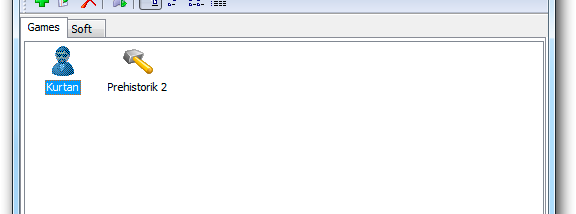



DOSShell is a graphical launcher and entry manager for DOS applications, designed to work with the DOSBox emulator. It is intended for people who want to run older games and software without entering commands at a DOS prompt. Instead, they can keep application entries in a list and start a selected program from the interface.
The list can be built and maintained inside DOSShell. Users can add entries for applications, edit the properties of existing entries, or remove entries they no longer need. This makes the program useful as a simple catalogue for a collection of DOS titles, keeping launch information available in one place rather than requiring commands to be retyped each time.
DOSShell provides an Explorer-like approach to managing these entries. Its purpose is to make launching and organizing DOSBox applications more approachable for users who prefer graphical controls. It works as a front end for DOSBox, so DOSBox remains the emulator used to run the programs; DOSShell supplies the convenient way to manage and start them.
Typical uses include organizing a library of older DOS games, keeping utilities or other legacy applications ready to launch, and simplifying repeated access to programs that would otherwise require command-line setup. The editable list is suited to collections that change over time, since entries can be revised or deleted as needed.
DOSShell is freeware from Loonies Software. It is a companion to DOSBox rather than a replacement emulator, and requires DOSBox for running DOS applications. The supplied compatibility information includes Windows versions through Windows 10; it does not establish compatibility with Windows 11.