IdemFilesFinder for Windows 10 - Full description
IdemFilesFinder is a lightweight Windows utility for locating duplicate files and freeing disk space. It is intended for people who want to identify repeated content across one or more folders before deciding what to remove. The program compares file contents using MD5 rather than relying on names, so files with different names can still appear together as duplicates. Its search can cover different file types, from documents and spreadsheets to images, audio and video.
Before searching, users can enter the file extensions to include as a comma-separated list. This makes it possible to focus a scan on selected formats, such as JPG images or PDF documents, rather than searching every file type. IdemFilesFinder can search several directories in one operation; folders can be added by dragging them into the program window. During a scan, it shows an estimated remaining time that updates as the search progresses, which helps indicate how long a large folder comparison may take.
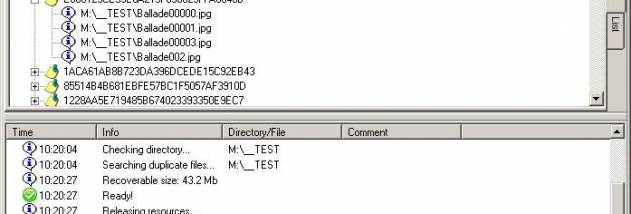
When the results are ready, the program presents matching files for review. Users can choose which copies to delete themselves, or have the utility select duplicates automatically. A confirmation message appears before deletion, giving users a chance to check the action. The results list can also be exported as a CSV or XML file, useful for keeping a record or reviewing findings in another application without removing anything immediately.
Typical uses include clearing repeated downloads, finding duplicate photos or media files, and checking document folders that have been copied or reorganized over time. Since filenames do not determine a match, the utility can also find duplicates that were renamed. Reviewing the results before deletion is important, particularly when copies are stored in separate folders for different purposes.
IdemFilesFinder is freeware and does not require installation, so it can be run without a setup process. It supports Windows XP and later, including Windows 10 and Windows 11. The interface and program are in English, and its small footprint makes it a straightforward option for focused duplicate-file searches rather than broader disk-cleanup tasks.