iWall for Windows 10 - Full description
iWall is an event display tool for organizers who want to bring audience messages, photos and poll results onto a large screen. It collects contributions through social services and messaging channels, then presents selected content as part of a live event. The software is suited to conferences, presentations and other gatherings where attendees can take part using their own devices.
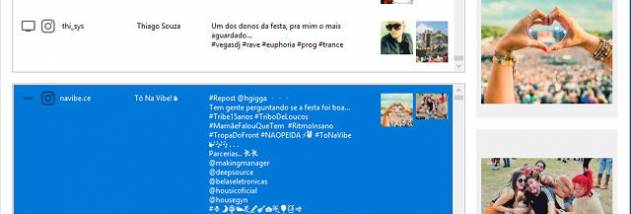
For a Twitter wall, iWall displays messages and pictures tagged with an event hashtag. Organizers can use the hashtag to gather relevant posts in one place and show them to the audience. A separate message wall accepts submissions and pictures sent by SMS, email or Telegram, providing ways to participate without posting publicly on Twitter. Incoming contributions can be reviewed individually, so moderators decide what appears on the screen.
Moderation combines manual approval with an automatic inappropriate-word filter. The filter removes configured words from messages, while manual review lets staff check submissions before they are displayed. These controls help manage a public screen during a live event, where contributions may arrive quickly and need attention before being shown.
The polling feature lets organizers create questions that attendees answer through SMS, email or Telegram. Results update live on screen as votes come in, making the display useful for quick audience feedback and interactive sessions. iWall also stores messages and pictures in sessions, which can be exported as HTML files for later reference or reuse outside the live presentation.
iWall is trialware and is intended for Windows. Its stated supported systems include Windows 7 and Windows 8, including their 64-bit editions, as well as Windows 10 and Windows 10 64-bit. The program connects event participants with a shared display, while organizers manage submissions, polls and moderation from the software.