LameXP for Windows 10 - Full description
LameXP is an audio conversion program for Windows users who need to change file formats, create MP3 copies or adjust encoding settings. It uses the LAME MP3 encoder and also supports formats including AAC, OGG Vorbis, Opus and FLAC. Its straightforward workflow suits occasional conversions, while configurable encoding options give more experienced users control over output.
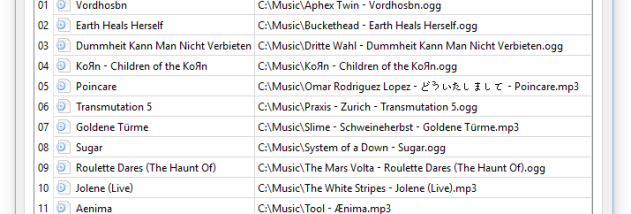
Files can be added by dragging them into the application, then assigned an output format and converted. LameXP supports batch processing, so multiple tracks can be prepared together rather than handled one at a time. Multithreaded processing can use more than one processor core during encoding, helping speed up larger jobs on multicore systems. Users can adjust encoding parameters when they need a particular balance between file size and audio quality.
A built-in player lets users preview audio before converting it, which can help identify the right source file or check a track before committing to a batch. Metadata editing provides a way to update tags such as artist, album and track information, keeping converted files organized in a music collection. The interface is available in multiple languages, and the program can run without installation as a portable application, including from removable storage.
LameXP can be useful for preparing music for devices or software that accept only certain audio formats, reducing the size of audio files, or converting a collection into a consistent format. Support for several lossy and lossless formats makes it suitable for both compact listening copies and workflows where retaining lossless audio matters. Batch conversion and tag editing also help when working with a folder or library rather than a single track.
LameXP is open-source software for Windows. It supports Windows 10 and Windows 11, as well as older Windows releases. Its portable operation is useful on systems where installing software is inconvenient, while the available encoding controls accommodate users who want more than a basic format conversion. Output quality and file size depend on the selected format and encoding settings.