Sound Normalizer
... sound files more consistent. It analyzes audio and adjusts volume, with support for formats such as MP3, ... volume separately in a media player, users can process files so that their levels are more even ...

LASTAR is a batch audio processor for adjusting loudness and splitting groups of recordings. Its automatic RMS normalizer works on signal power rather than peak level, helping make varied material such as live recordings more consistent. It also offers automatic gain control, two equalizers, a noise gate, preset management and preview. Use it to prepare digitized tapes, vinyl transfers, microphone recordings or compilations.
| Author: | Arthelion |
| License: | Open Source |
| Price: | FREE |
| Released: | Jun 5, 2022 |
| File size: | 23.50 MB |
| Downloads: | 339 |
| Keywords: | batch audio processor, Arthelion LASTAR, processor, audio equalizer software, rms audio normalization, split audio file, live recording processor, process, split audio files, batch normalization tool, x64 architecture, Windows 10 compatible, loudness adjustement, audio loudness normalizer, adjust, dynamic range compression, audio processing software |
| Author URL: | https://www.arthelion.com/ |
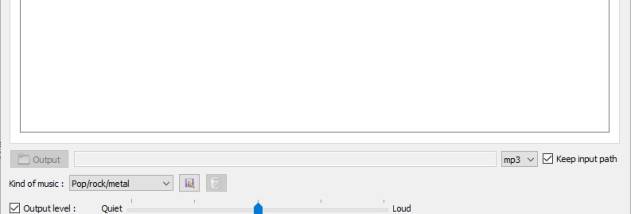

LASTAR is a batch audio processor for people who need to adjust loudness, balance tonal levels and split multiple recordings without editing each file interactively. It is suited to digitized tapes and vinyl, live microphone recordings, and groups of tracks that need a more consistent listening level. Its processing analyzes audio and automatically sets many parameters, keeping routine batch work straightforward.
An automatic RMS normalizer adjusts perceived signal power rather than relying only on peak level. This approach can produce louder, more consistent results across recordings whose peaks vary, such as live performances. For further loudness and dynamic control, an automatic gain controller works as a compressor, reducing level differences that can make listening difficult in a car or other noisy setting.
LASTAR also includes two equalizers for shaping the sound: an automatic ten-band equalizer and a semi-parametric three-band equalizer. A noise gate can reduce low-level background noise, while the file splitter separates longer recordings into individual tracks. These tools are useful when preparing analog transfers or microphone recordings, where track divisions and tonal balance may need attention alongside loudness.
Preset management lets users retain processing settings for repeat jobs, and a preview function provides a way to check the result before processing a batch. The non-interactive workflow is intended for applying consistent treatment to multiple files, such as a compilation, rather than making detailed changes to a single track while it plays. Its automatic analysis and limited need for manual parameter adjustment support quick, repeatable processing.
LASTAR is open-source software for Windows, with support listed from Windows XP through Windows 11. It can be used for loudness normalization, dynamic reduction, equalization and splitting recordings as part of a digitization or audio-preparation workflow. Processing choices depend on the source material, so previewing a representative file can help confirm that the selected settings suit the batch.