@MAX SyncUp for Windows 10 - Full description
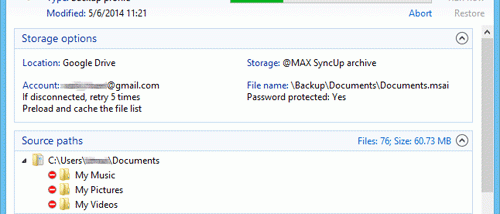
@MAX SyncUp is a Windows utility for backing up files and keeping folders synchronized across computers and storage locations. It suits home users and small teams who need scheduled or on-demand copies, access to previous file versions, or a way to transfer changes between PCs. Destinations include USB drives, network locations, FTP and SFTP servers, WebDAV servers, and Google Drive, OneDrive, and Dropbox.
The program supports several backup approaches. Its Time Machine-style method uses hard links to retain dated versions of files while avoiding repeated storage of unchanged data. This lets users browse older backup states and restore selected files when needed. For direct synchronization between two computers, an rsync-like algorithm identifies changed file portions and transfers those parts rather than copying every complete file. This can reduce transfer time and network traffic, especially when large files change only slightly.
SyncUp can also copy or synchronize data through supported network and cloud destinations. For direct computer-to-computer transfers, data is encrypted and sent between the machines without being stored in an intermediary cloud service. A step-by-step setup wizard helps configure backup and synchronization tasks, while smart filters let users choose which files to include. Archives can be browsed and searched, and individual files can be restored without recovering an entire backup. Advanced options include running the program as a Windows service and copying access control lists (ACLs).
Typical uses include protecting documents on an external drive, maintaining an off-site backup on a server or cloud account, and keeping work folders aligned between a desktop and laptop. Direct synchronization is useful when both computers can connect over the Internet and users want to transfer changes without routing files through cloud storage. Versioned backups provide a separate recovery path for earlier file states, while selective filters help exclude unwanted content from a task.
@MAX SyncUp is freeware from @MAX Software and is available in English. It supports Windows 10 and Windows 11, as well as earlier Windows releases and Windows Server. The stated system requirement is a standard Windows PC. Backup destinations and available synchronization methods depend on the chosen task and the storage or server being used.