ECam for Windows 10 - Full description
ECam is a CNC design and simulation program for planning work on computer-controlled lathes. It is intended for machinists and CNC users who want to set up machining operations visually rather than define the entire process by manual programming. A project is organized as a sequence of stages, so the workpiece and the operations used to shape it can be reviewed and adjusted together.
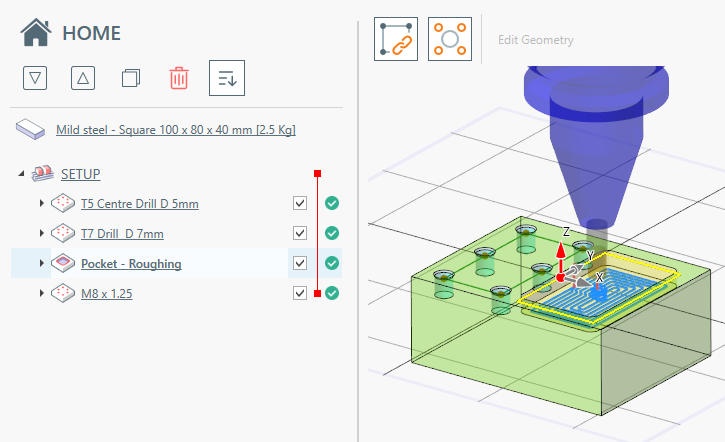
The workflow is built around a process tree, parameter controls and a 3D workpiece preview. Each node in the tree represents a step in the machining task and can be edited as the design develops. Users enter values for elements along the X, Y and Z axes, then inspect the workpiece from different angles to check the planned geometry. Cutting, drilling, facing, knurling and sanding operations can be included in a project, with settings adjusted to suit the intended work.
ECam also provides a Tools window for choosing the material being worked. Once the setup is complete, an animated simulation plays the stages in sequence, helping users examine how the planned operations affect the workpiece before machining. The program can generate G-code from the project and estimate how long the machine will take to complete it, supporting both process review and preparation for machine work.
The visual setup is useful when creating or refining a lathe task, checking operation order, and adjusting machining details without relying solely on hand-written code. The combination of a structured step list, editable parameters and a rotatable preview keeps the plan and its result visible during design. Simulation offers a way to review the complete sequence, while G-code generation turns the configured task into machine instructions.
ECam is trialware for 64-bit editions of Windows 10, Windows 11, Windows 8 and Windows 7. Its focus is CNC lathe work and associated cutting operations; it is not presented as a general-purpose CAD package. Users can build and inspect a machining plan in the graphical environment, simulate its stages, and prepare the resulting code for a compatible CNC workflow.



/https://fbi.cults3d.com/uploaders/16063388/illustration-file/4040fab3-86e5-4e97-9777-71c6b1dd1f90/Square.png)