Tag Editor
Discover the power of Tag Editor, a versatile and user-friendly software developed by Martchus, ... of audio formats, ensuring your music library is organized and easily navigable. With its intuitive interface, Tag ...

MusicBee Portable combines music playback with tools for managing a local collection. It organizes tracks as a library, playlists or folders, monitors folders for new audio, and edits tags in batches. The player supports MP3, FLAC, Vorbis and WMA, while online lookups can retrieve artwork, lyrics and metadata. It also offers CD ripping, dynamic playlists and synchronization with portable devices.
| Author: | Steven Mayall |
| License: | Freeware |
| Price: | FREE |
| Released: | Oct 30, 2026 |
| File size: | 9.20 MB |
| Downloads: | 401 |
| Keywords: | Organize, MusicBee Portable, music device sync, Player, Organizer, Steven Mayall, musicbee portable, music library organizer, music library manager, high-resolution audio playback, Music Player, Tag Editor, audio management, customizable interface, music cd ripper, music player, Music Organizer, music tag editor |
| Author URL: | https://www.getmusicbee.com/ |

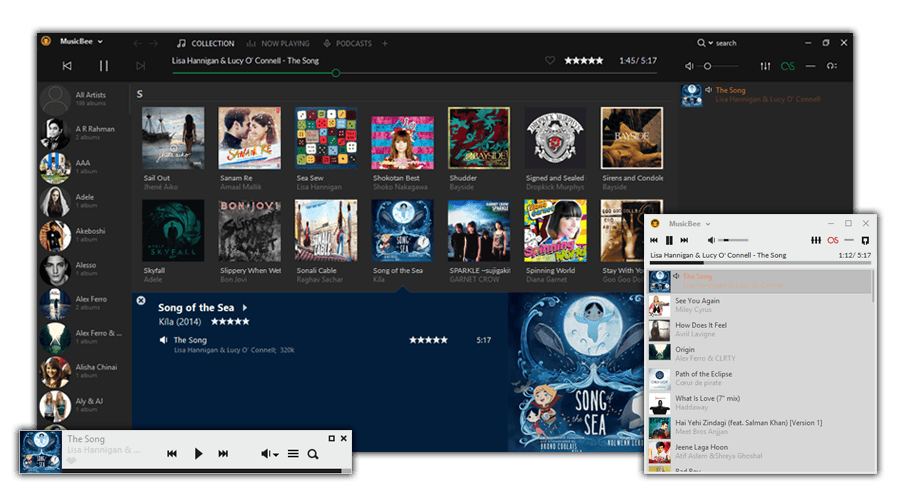
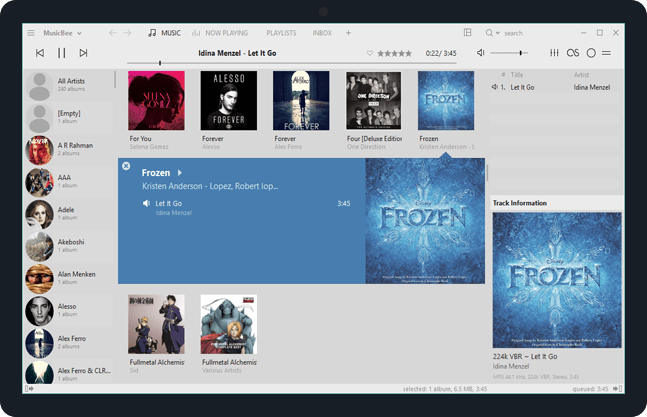


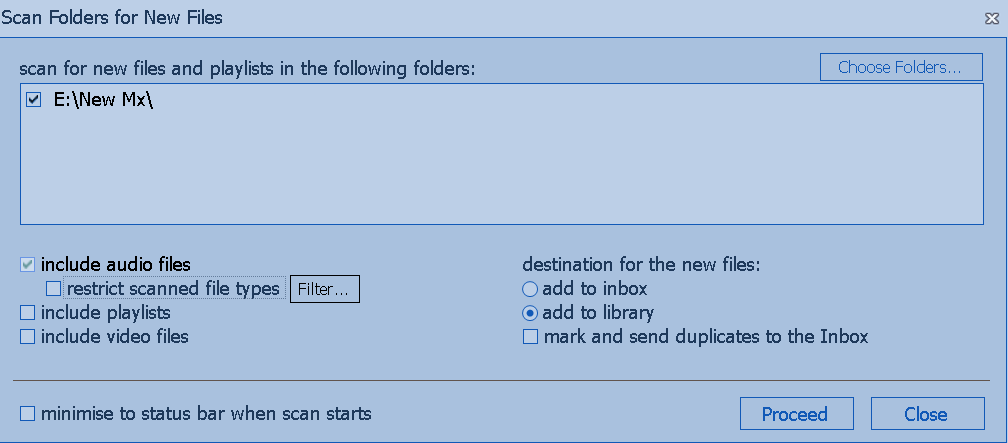

MusicBee Portable is a Windows music player and collection manager for listeners who want to organize, browse and play audio from a single library. It can work with music arranged as a library, playlists or folders, and supports collections of different sizes. The portable edition provides the MusicBee experience in a form intended to be run without a conventional installation, making it useful for carrying a music setup between compatible Windows computers.
The library can monitor selected folders and add new tracks automatically. An Inbox workflow lets users review and tag incoming files before they become part of the collection. MusicBee edits a broad range of metadata, including custom tags, and supports bulk changes, search and replace, and handling multiple artists or genres. It can also flag files that need attention, such as tracks with missing tags or duplicate entries. When metadata is incomplete, the program can look up tags, lyrics and album artwork online; sound-signature identification can help match tracks to information on the web.
Organization tools can rename and move files into folders according to chosen tag values, such as artist, album, track number or title. MusicBee plays formats including MP3, FLAC, Vorbis and WMA, and supports playlists created from library rules as well as Auto-DJ selections based on criteria such as similar artists. It can also play online audio, including supported radio stations and podcasts, and can create playlists from music blogs and web pages. Optional Last.fm scrobbling records played tracks with the service.
For physical collections, MusicBee can securely rip CDs as separate tracks or as an album file with an embedded cuesheet. It retrieves tags and artwork for rips and can check them against AccurateRip for verification. Device synchronization transfers music, podcasts and playlists to compatible portable players or USB storage; artwork, tags, ratings and play counts can be synchronized as well. Where a device requires a different audio format, files can be encoded for transfer. These tools suit listeners maintaining a local archive, preparing music for portable playback, or combining downloaded, ripped and online audio in one workflow.
MusicBee is freeware for Windows, including Windows 10 and Windows 11. Its many library, tagging and synchronization options are useful for users who want control over their collection, though configuring a large library or detailed automatic rules may take some initial setup. Portable operation is convenient for keeping the program and its settings available on compatible systems; device support and playback of online services depend on the connected device or service.