Nero StartSmart
Nero StartSmart is a central launcher for Nero's digital media applications, intended for people who want ... single interface for navigating the applications included with Nero's media suite and starting the one associated with ...

Nero is a Windows multimedia suite for editing video, converting and playing media, streaming to a TV, and burning CDs, DVDs, and Blu-ray discs. Its editor has Express and Advanced modes, with tools for 4K projects, multitrack overlays, effects, and picture-in-picture. Disc authoring adds chapter marks and customizable menus, while device profiles help convert disc content for phones and tablets.
| Author: | Nero |
| License: | Trialware |
| Price: | $84.95 |
| Released: | Sep 27, 2018 |
| File size: | 3.12 MB |
| Downloads: | 2029 |
| Keywords: | multimedia suite, audio conversion, disc authoring, burn, Nero Burning ROM, nero media streaming, Nero, photo, burner, Nero Suite, nero media converter, nero cd burning software, Burning Software, nero video editor, nero dvd burner, video editing, data backup, nero blu-ray authoring, DVD Burner, video, media |
| Author URL: | https://www.nero.com/ |
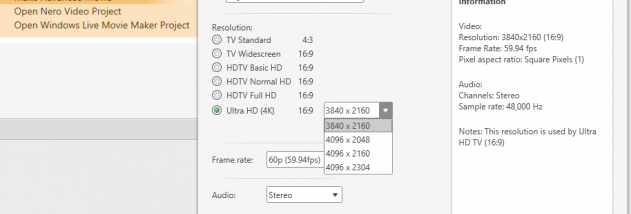

Nero is a Windows multimedia suite for people who want to edit video, organize and play media, convert content for devices, and create optical discs. Its tools cover the process from importing footage and assembling a project to authoring menus and burning a Blu-ray or DVD. It also handles audio CDs and can play or stream media in a range of formats, making it useful for home video projects and disc-based media collections.
The video editor offers two working modes. Express Editing provides a faster route for trimming and arranging clips and adding effects, while Advanced Editing adds a multitrack timeline, overlays, keyframe controls, and more detailed effect handling. Editing tools include cropping, rotating, and picture-in-picture composition; rotation is also useful for correcting phone or tablet footage recorded at the wrong angle. The editor supports 4K video projects and includes filters, transitions, and titles for shaping the look of a finished video.
For disc projects, Nero can author and burn Blu-ray video discs and DVD-Video discs, as well as burn CDs. Users can import, capture, trim, and arrange project material, add chapter marks for navigation, then choose a ready-made 2D or 3D menu or customize a menu before burning to disc or creating a disc image. These authoring features help turn a collection of clips into a navigable disc that can be played in a compatible Blu-ray or DVD player.
Nero also converts video and audio disc content for connected devices or virtual drives. Device profiles simplify conversion for common phones and tablets, and the suite is designed to use available PC hardware to speed encoding. Nero MediaHome can stream movies to a TV and send slideshows with themes, effects, and music; compatible TV controls can be used to manage playback. Together, conversion and streaming provide alternatives to burning content when it needs to be watched on a mobile device or television.
Nero is trialware, so the trial can be used to evaluate its multimedia and disc-authoring tools before purchase. The supplied system information lists Windows 7, Windows 8, and Windows 10, including their 64-bit editions; it does not establish support for other Windows releases. Disc burning requires suitable optical hardware and writable media, while TV streaming and mobile-device transfer depend on compatible connected devices. Individual functions are most useful when the PC, target device, and media format are supported.