WinPcap
... available to compatible utilities. Tools such as Wireshark, Nmap, Snort, ntop and WinDump have used WinPcap for tasks including protocol analysis, network discovery, intrusion detection ...

Nmap is an open-source tool for network discovery and security auditing. It helps administrators find reachable hosts, scan ports, identify running services and estimate operating systems. Flexible scan options support both quick host checks and deeper inspections, while the Nmap Scripting Engine automates additional network tasks. Zenmap provides a graphical interface for configuring scans and reviewing results.
| Author: | Gordon Lyon |
| License: | Open Source |
| Price: | FREE |
| Released: | Oct 16, 2026 |
| File size: | 35.60 MB |
| Downloads: | 412 |
| Keywords: | Map, network security audit, Host discovery, Packet Filter, Service version detection, Mapper, Network exploration, network scanner, service detection, Open-source software, Network, host discovery, Network Mapper, port scanning tool, Security auditing, Network Host, Gordon Lyon, network mapper |
| Author URL: | https://nmap.org/ |

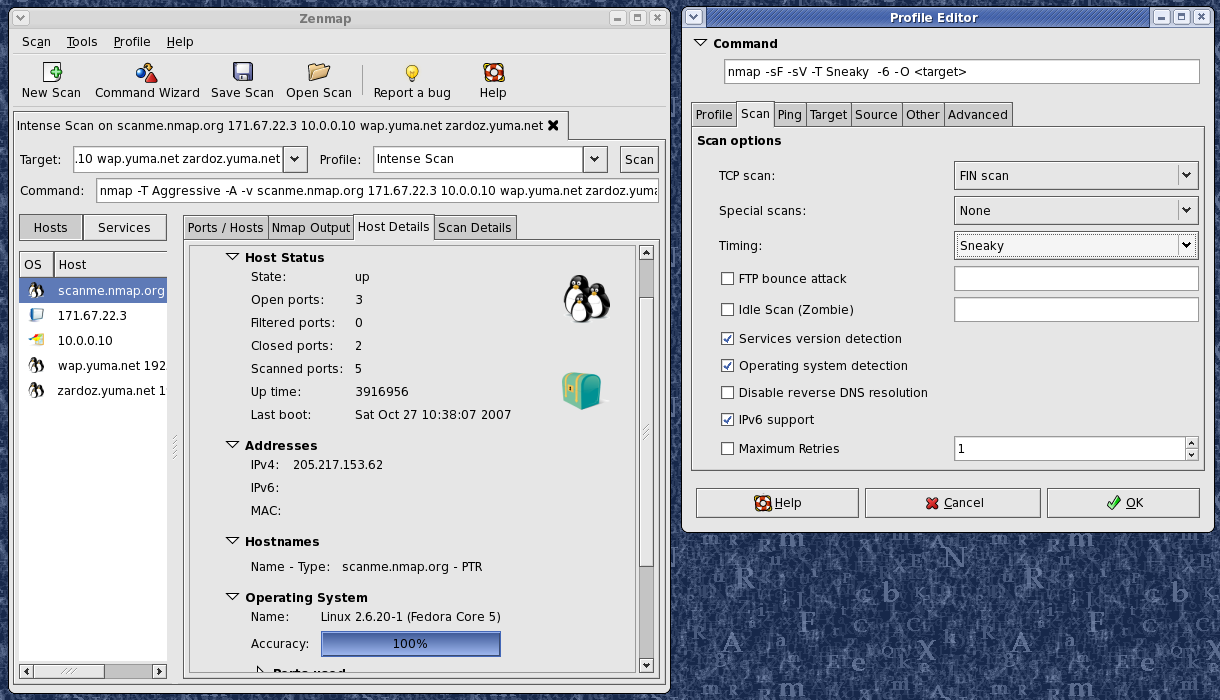
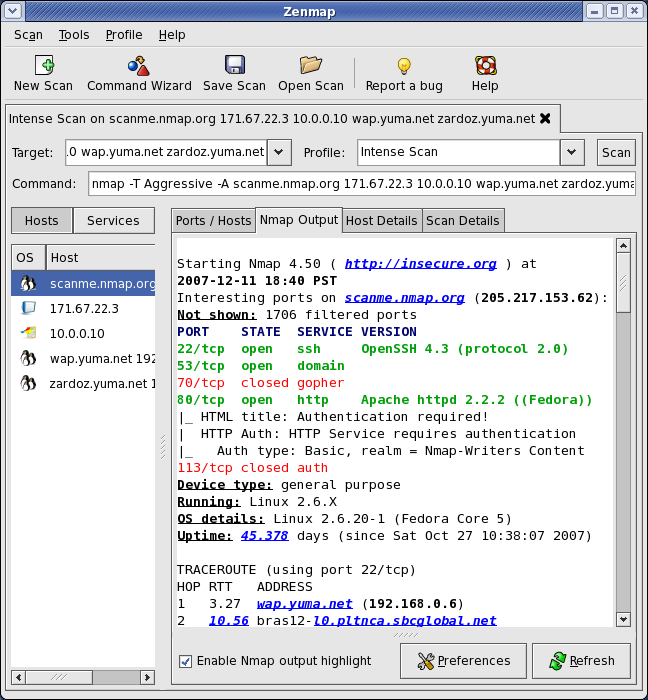



Nmap, short for Network Mapper, is an open-source network discovery and security auditing tool developed by Gordon Lyon. Network administrators and security professionals use it to inspect networks they manage, identify reachable hosts and understand which services are available. It is also useful for learning about network structure, provided scans are run only on systems the operator is authorized to examine.
Host discovery helps determine which devices respond on a network, while port scanning checks which network ports are open on those hosts. These results give administrators a practical inventory of reachable equipment and exposed services. Service and version detection can identify software associated with an open port, helping teams check configurations and plan service updates. Nmap also offers operating system detection to help infer the type of system responding to a scan; results depend on the available network responses and may not always be conclusive.
Scan options let users adapt the scope and methods to a task, from a basic check for active hosts to more detailed examination of ports and services. The Nmap Scripting Engine extends this workflow with scripts that automate network checks and gather additional information. Users can select scripts and scan parameters for particular needs, then review the resulting output to investigate hosts, compare services or follow up on configuration concerns. The command-line interface supports repeatable scans and integration into administrative workflows, while Zenmap provides a graphical way to configure scans and review or visualize results.
Typical uses include documenting a network, checking whether expected services are reachable, reviewing exposed ports after a configuration change and gathering information during an authorized security assessment. Results can help identify devices or services that merit closer attention, but a scan is an inventory and diagnostic aid rather than a complete security assessment. Its findings should be interpreted in context and verified with appropriate administrative tools.
Nmap is free and open source, and the Windows software is available for Windows 10 and Windows 11, as well as supported Windows Server editions. It is also used on Linux and macOS. Scanning can generate network traffic and may be detected by monitoring systems, so users should follow organizational policies and obtain permission before scanning networks outside their control. The range of options makes Nmap useful for both quick checks and detailed investigations, though familiarity with networking concepts helps users choose suitable scans and interpret results accurately.