Spotify Chrome Extension
... Windows 10 download website for the Spotify Chrome Extension, an innovative software developed by the tech giant, Google. This extension is a must-have for all music ...

Google Keep for Chrome is a lightweight extension for creating notes from the browser. A note made while viewing a web page can include that page's address, which can be removed when it is no longer useful. Tags help group notes, and a trash control deletes unwanted entries. The extension also offers a shortcut to the Google Keep service from its browser icon. Its simple controls suit quick capture and basic organization.
| Author: | |
| License: | Freeware |
| Price: | FREE |
| Released: | Oct 5, 2026 |
| File size: | 6.50 MB |
| Downloads: | 25 |
| Keywords: | note, Google, freeware, tagged note manager, browser extension, take note, tagging, note creator, download Google Keep for Chrome, Google Keep for Chrome free download, Keep, extension, note manager, save web page notes, Google Keep for Chrome, google keep notes, google keep chrome extension, web page linking, Browser Tools, quick note creator, note-taking, browser note taking |
| Author URL: | https://www.google.com/ |


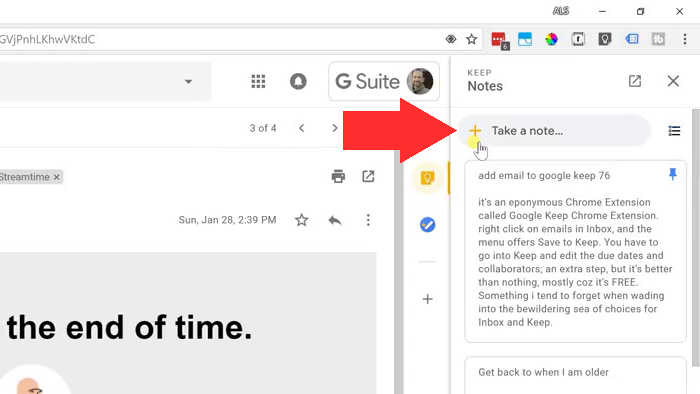
Google Keep for Chrome is a browser extension for creating and managing quick notes while browsing. It is suited to people who want to capture short pieces of information without switching to a separate note-taking application. Its compact interface keeps the main actions close at hand, with no additional configuration menu to navigate.
The extension creates notes directly from Chrome. When a note is made while viewing a web page, Keep can attach that page's address, giving the note a direct reference to its source. The address can be removed with the adjacent unlink control, which is useful when the note should stand on its own or no longer needs to point to the page.
Notes can be organized with tags. Selecting the tag icon opens a field for entering the label, making it easier to group related notes. Notes that are no longer needed can be deleted using the trash icon. These straightforward controls suit quick capture and basic organization rather than a complex, multi-step writing workflow.
The extension also provides a shortcut to the Google Keep service: right-click its browser icon and choose the relevant option to open Keep. This can be useful when moving from a brief note created during browsing to the broader Keep workspace. Linking notes to web addresses can also help when collecting research, saving reminders connected to a page, or keeping track of information encountered online.
Google Keep for Chrome is freeware and is intended for use with Google Chrome. The Windows download listing supports Windows 10 and Windows 11, in both 32-bit and 64-bit environments. Its purpose is focused: create notes from the browser, optionally retain a link to the current page, add tags, and reach Google Keep without searching for the service separately.