Share By Link
Welcome to the official website of Share By Link, the ultimate file sharing software designed ... Windows 10 users. Developed by IQ Storage DBA ShareByLink, this innovative tool revolutionizes the way you share ...

OnionShare lets users share files and folders through a Tor onion service instead of uploading them to a conventional hosting provider. Add content by browsing or dragging it into the app; OnionShare starts the server and creates a random URL to send to recipients. They need Tor Browser to access the share. The sender can stop sharing manually or have the service shut down after a download completes. Files remain on the sender's computer, which must stay available during the transfer. OnionShare is open source and free to use.
| Author: | Micah Lee |
| License: | Open Source |
| Price: | FREE |
| Released: | Oct 16, 2026 |
| File size: | 135.00 MB |
| Downloads: | 27 |
| Keywords: | tor onion service, share files through tor, Share Securely, Web Server, anonymous file sharing, Share File, OnionShare, share folders privately, Security, Anonymous Sharing, Tor, onionshare file sharing, Share, OnionShare free download, download OnionShare, secure file transfer |
| Author URL: | https://dangerzone.rocks |




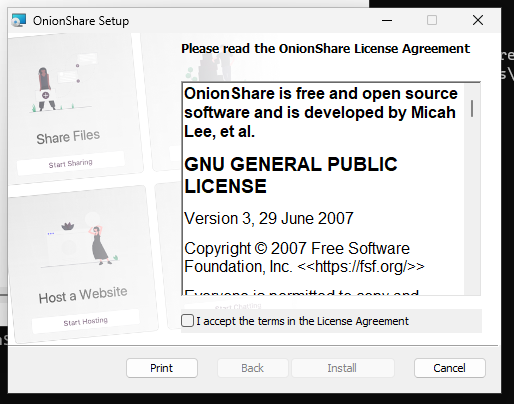
OnionShare is an open-source file-sharing application for people who want to send files or folders without uploading them to a conventional file-hosting service. It uses the Tor network to make shared content available through an onion service. The sender selects what to share, and OnionShare creates a hard-to-guess link that recipients open with Tor Browser. The approach keeps the files on the sender's computer while the share is active, rather than storing them on a separate file-sharing provider.
To start a share, files or entire folders can be added through the interface or dragged into its main window. OnionShare starts a Tor onion server and prepares the selected content for access. It then generates a random URL for the share, which the sender can pass to the intended recipient through a separate channel. Recipients need Tor Browser to open the link and download the available files; the link is not a general-purpose web address for standard browsers.
The sharing session is controlled from the application. The sender can stop the server when the transfer is finished, or enable the option to stop sharing automatically after a download completes. This helps limit how long the files remain reachable. Because the files are served from the sender's own computer, that computer and OnionShare need to remain available while recipients access the share. Sending the link securely also matters: anyone who obtains it may be able to reach the shared content while the service is running.
OnionShare is suited to transferring documents, media, project folders, or other files when avoiding a third-party hosting account is important. It can also be useful when a sender wants a direct sharing workflow with control over when access begins and ends. The recipient's use of Tor Browser and the requirement to keep the share active make it less suited to unattended, long-term hosting than a cloud storage service.
The application is open source and free to use. It has a straightforward interface and requires Tor Browser to be running for its Tor-based sharing workflow. Windows releases are available for 64-bit Windows 10 and Windows 11, as well as 64-bit Windows 7 and Windows 8.