Portable ClipDiary for Windows 10 - Full description
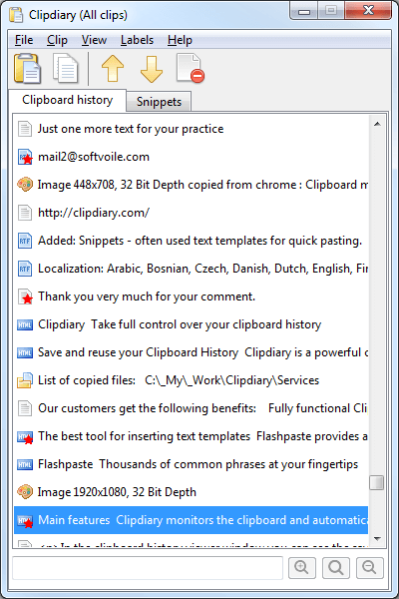
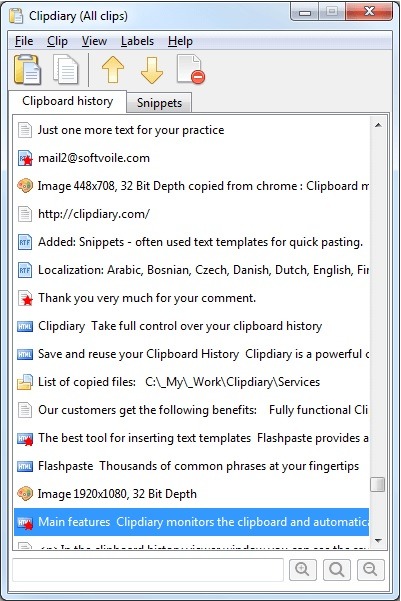
Portable ClipDiary is a clipboard manager for people who need to retrieve text, images or files copied earlier. Instead of keeping only the most recent item, it records clipboard contents in a history that can be opened from the system tray or with a configurable hotkey. The portable edition runs without installation, making it suitable for carrying on removable storage or keeping in a chosen folder.
When an item is selected in the history, ClipDiary shows details such as its source application, size and creation date. A clip can be pasted into the active window, renamed or removed from the record. Hotkeys can also copy the previous or next clip directly to the clipboard, and an option can paste a clip automatically after it is copied. These controls help users move through recorded material without repeatedly opening the history window.
For tasks involving several snippets, the program can paste multiple selected clips into an active application. It can also search for selected clip content with Google or save a clip to a text document. Clipboard monitoring can be turned off, while exclusion rules prevent clips from specified applications or formats from being recorded. Other settings include interface language and colors, recording sounds, startup behavior and periodic update checks.
ClipDiary is useful when collecting information from websites, documents or other applications and later reusing a particular passage, image or file. The history makes it easier to recover something copied before another item replaced it, while the source and date details can help distinguish similar entries. Users can configure hotkeys for their workflow and access the same history through the tray icon when they do not remember a shortcut.
The portable edition needs no installer and can be launched from a local folder or USB storage. It does not make Windows registry changes, and removing its program files does not leave additional files behind according to its stated design. ClipDiary is trialware and supports Windows 10 and Windows 11, as well as earlier Windows releases.