Portable EF Mailbox Manager for Windows 10 - Full description
Portable EF Mailbox Manager is a POP3 email utility for people who want to check and manage messages directly on mail servers without relying on a full email client for every task. It can handle multiple POP3 accounts, with a separate polling interval set for each one. This lets users keep accounts on different schedules and check for new mail from a single application.
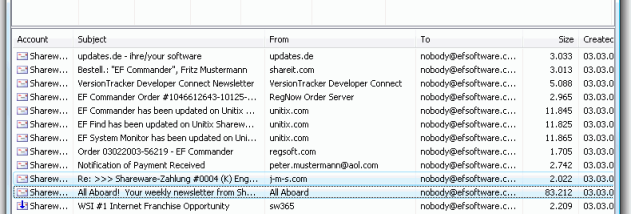
For each account, the program can check for new messages, delete messages from the server, or download mail to the computer. Downloaded messages are stored as ASCII text files in mailboxes, making them available for later reading or handling. Because messages can be inspected before being passed to an email application, the utility can also help users avoid downloading unwanted mail onto their computer.
The server-side controls are useful for removing spam without first downloading it. When a mail server supports APOP, the program can use that authentication method so passwords are not sent in clear text during login. APOP availability depends on the mail server, so this option cannot be used with every account. Some functions use the computer's installed default email client to compose or reply to messages.
Typical uses include checking several POP3 inboxes, clearing unwanted messages from a server, and retrieving selected email for offline use. The text-file storage offers a straightforward way to access downloaded messages, but users should take care with attachments: the program's information advises opening messages in a text editor or EF Commander's integrated viewer before using an email program that may open attachments automatically.
Portable EF Mailbox Manager is trialware and is intended for Windows, including Windows 10 and Windows 11. It requires access to POP3 mail accounts; server capabilities determine whether secure APOP login is available. Its focused account, polling, download, and deletion controls suit users who want a lightweight way to manage mail at the server rather than a complete email client.