PDF Anti-Copy
PDF Anti-Copy is a Windows utility for preparing PDF documents that need to remain readable while being ... extraction is a concern. The program processes a selected PDF and creates a separate protected copy, leaving the ...

Rapid PDF Count analyzes PDF files and reports total page counts alongside counts of color pages, blank pages and annotations. Batch processing lets users assess multiple documents together, while filters can exclude blank pages or pages containing specified keywords. Results can be exported to CSV, Excel or plain text for billing, print preparation, document management and reporting. The program is offered as a demo for Windows.
| Author: | Traction Software |
| License: | Demo |
| Price: | FREE |
| Released: | Sep 18, 2024 |
| File size: | 27.10 MB |
| Downloads: | 263 |
| Keywords: | pdf preview, PDF analysis, document management, pdf page report, pdf color page count, Traction Software, count pdf pages, pdf, pages, Rapid PDF Count, pdf report, count, software review, page counting tool, pdf document analyzer, batch pdf analysis, pdf page, pdf page counter |
| Author URL: | https://www.traction-software.co.uk/ |
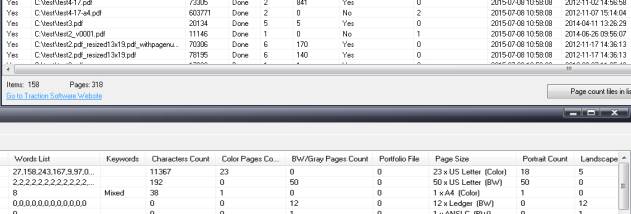

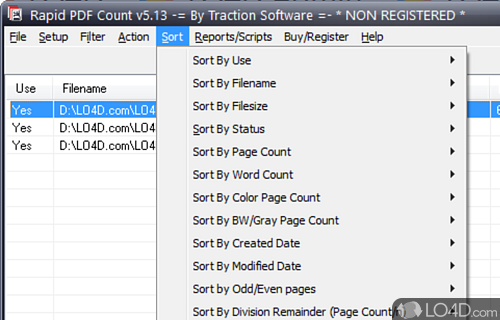

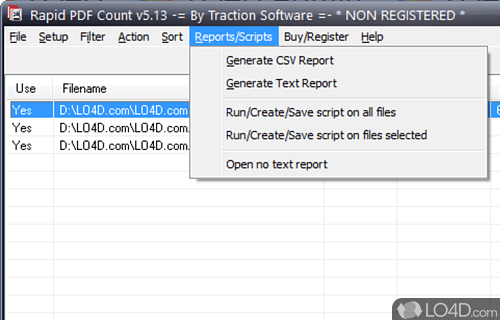


Rapid PDF Count is a Windows utility from Traction Software for checking page totals and other document details across PDF files. It is intended for people who regularly handle collections of PDFs and need figures for billing, document control, print preparation or reporting. Instead of opening documents one at a time, users can process multiple files together and review their counts in a single workflow.
The program reports the total number of pages in each PDF and can provide additional counts for color pages, blank pages and annotations. These breakdowns help distinguish a simple page total from information useful for estimating print work, checking document contents or preparing records. Batch processing makes it practical to analyze a group of files at once, including larger collections that would be time-consuming to inspect manually.
Reports can be exported as CSV, Excel or plain text, so the results can be carried into spreadsheets, shared with colleagues or used in other document workflows. Filtering options can exclude blank pages or pages containing specified keywords, allowing the resulting counts to focus on selected content. These tools are useful when a document set needs to be assessed according to particular counting criteria rather than by total pages alone.
Typical uses include calculating page volumes for legal or financial billing, checking PDFs before printing or publishing, and maintaining counts for office archives and administrative records. A report can also help staff compare document collections or identify files that need further review. The interface is organized around selecting PDFs, running the analysis and exporting the resulting data, keeping the task focused on file inspection rather than editing document content.
Rapid PDF Count is commercial software offered as a demo. It runs on Windows, including Windows 10 and Windows 11, as well as a range of Windows Server and earlier Windows releases. It is designed for PDF analysis and counting; it is not a PDF editor or a tool for changing page content.