RS Partition Recovery for Windows 10 - Full description
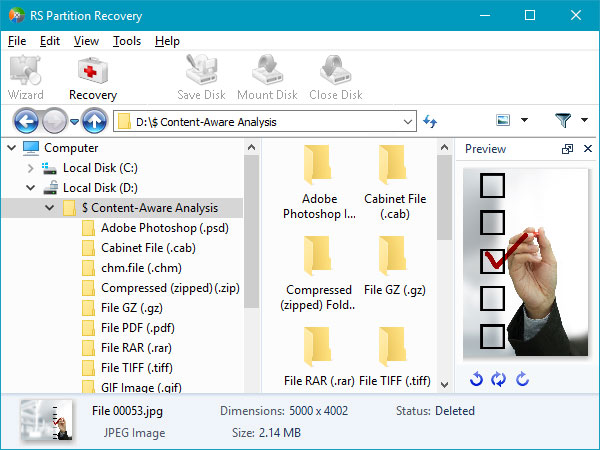
RS Partition Recovery is a Windows utility for finding and recovering files that have been deleted, lost or corrupted, as well as working with disk and partition images. It is intended for users who need to examine a drive after accidental file removal or partition problems. A guided interface helps users choose a disk or partition and select an appropriate scan without requiring them to manage each recovery step manually.
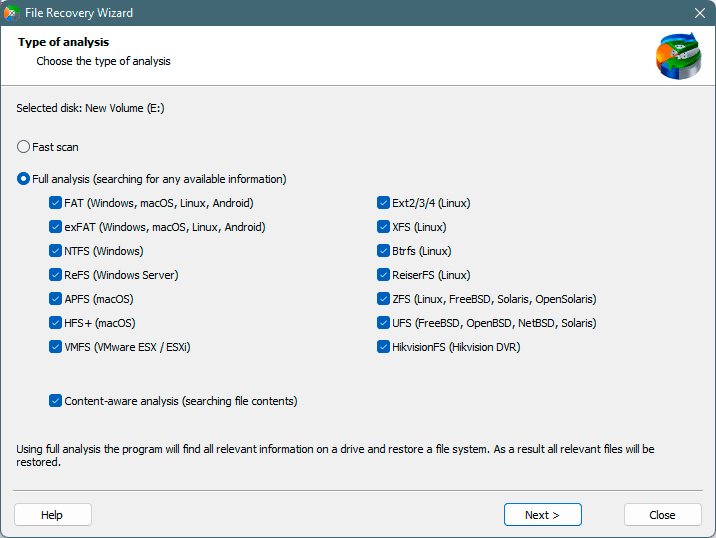
The program displays available physical disks and partitions in its main window. After choosing a location, a wizard offers a fast scan or a full scan. Fast scanning provides a quicker check, while a full scan can search more thoroughly. Scan options include NTFS and FAT analysis, along with content-aware analysis, which can help locate files by examining their contents rather than relying solely on file-system information. These options make it possible to tailor a search to the drive and the type of data being sought.
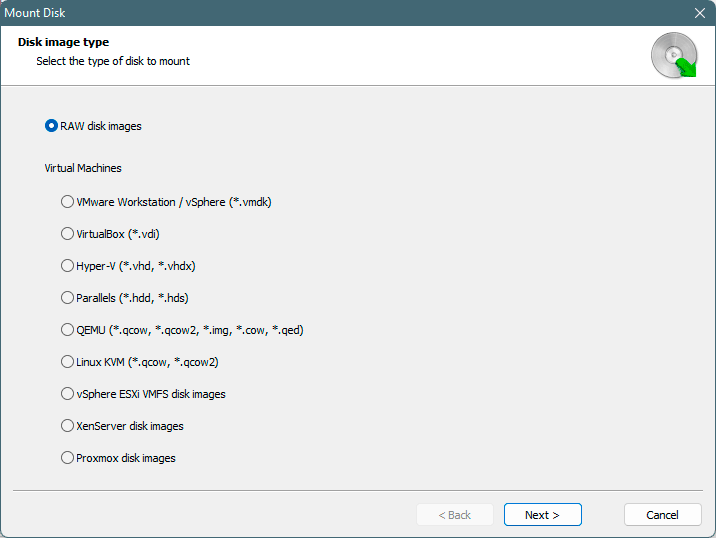
In addition to file recovery, RS Partition Recovery can create image files from a selected disk or partition. Saving an image provides a separate copy that can be used for later work, rather than repeatedly operating on the original storage. The Mount Disk command opens an image created earlier, allowing it to be accessed through the program. This image workflow is useful when preserving a drive's current state is important or when recovery work needs to continue at another time.
A startup wizard introduces the main controls, and a small Settings window provides a few display options. Users can choose whether images appear in the status bar and whether encrypted or compressed NTFS files are highlighted in color. These settings support clearer browsing of scan results, while the disk list and task-specific wizards keep the main recovery and imaging steps straightforward.
RS Partition Recovery is distributed as demo software and is designed for Windows PCs. It supports Windows 10 and Windows 11, as well as several earlier Windows releases. Recovery results depend on the condition of the storage device and whether data has been overwritten; avoiding unnecessary writes to an affected disk can help preserve the chance of finding recoverable files. The program can be used for accidental deletions, damaged file systems and partition recovery tasks, alongside creating and mounting disk images.