RS Photo Recovery for Windows 10 - Full description
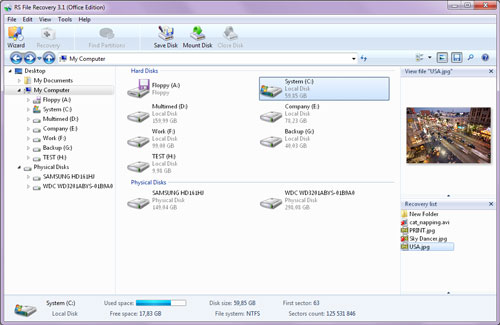
RS Photo Recovery is a Windows utility for finding and restoring deleted or corrupted image files. It is intended for people who have lost pictures from a computer and want to scan selected storage locations rather than search for files manually. A guided, wizard-style interface leads through choosing a scan target, analyzing it and reviewing the results, making the recovery process accessible without requiring command-line work.
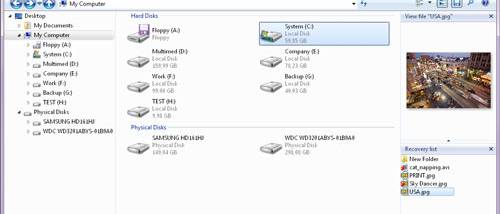
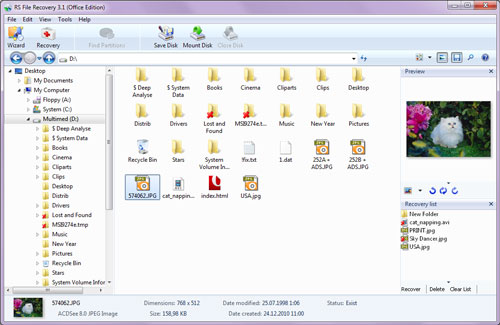
The program offers fast and full scans. A fast scan can be used for an initial search, while a full scan provides an alternative when a broader analysis is needed. Search results can be narrowed by file size or date, with settings available for each filter. These options help focus the review on pictures matching a known time period or approximate size, which can be useful when a location contains many files. After analysis, users can browse the identified images and select items for recovery.
Display and organization controls support reviewing scan results. Users can change how items are viewed or sort the displayed files in a preferred order. Analysis information can also be saved and loaded, allowing a scan's information to be kept for later use instead of starting the review from scratch. Together, these controls provide a straightforward workflow: select a location, run an appropriate scan, refine and inspect the results, then recover the pictures that are needed.
RS Photo Recovery also handles partition images. It can create an image file from a partition and export that file to the computer, as well as mount a previously created image to restore its contents. This is separate from recovering individual photos and can be useful when preserving or restoring partition data is part of the same task. The program therefore combines image-file recovery with basic partition imaging functions.
The software is offered as a demo and supports Windows 10 and Windows 11, as well as earlier Windows releases. Its recovery process is centered on locations available for scanning, with fast or full analysis and optional date and size criteria. As with other recovery utilities, results depend on the storage location and the state of its data; recovered files should be checked to confirm they are usable.