SIP Communicator for Windows (x32 bit)
SIP Communicator, now known as Jitsi, is an open-source ... for people who want internet voice and video calls alongside instant messaging. It brings accounts from supported ...

SipCLI is a Windows command-line tool for SIP testing and VoIP call automation. It can send OPTIONS requests, register accounts, start calls with INVITE and end them with BYE. UDP and TCP transport support helps administrators check SIP services across different network configurations. Scripts can automate repeated calls or periodic messages, while configurable headers, codecs and credentials let engineers adapt tests to their setup. It also supports SIPS and TLS for encrypted signaling.
| Author: | KaplanSoft |
| License: | Freeware |
| Price: | FREE |
| Released: | Apr 13, 2026 |
| File size: | 1.40 MB |
| Downloads: | 370 |
| Keywords: | Command Line Interface, Windows 10 compatibility, VoIP automation, SIP agent, sip testing tool, maker, Make SIP call, Dialer, sip command line, SIP, sip call tester, Yasin Kaplan, voip call automation, sip server testing, SIP protocol, SIP call, Dial, SIPcli software, Call, sip options tool |
| Author URL: | http://www.kaplansoft.com/tekaba/ |
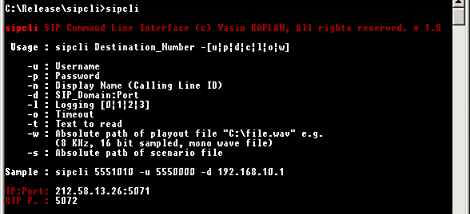
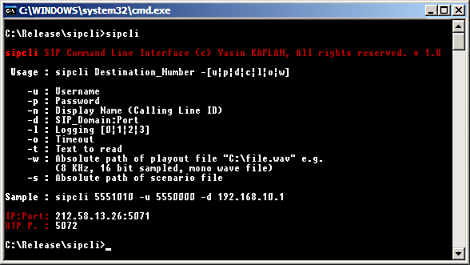
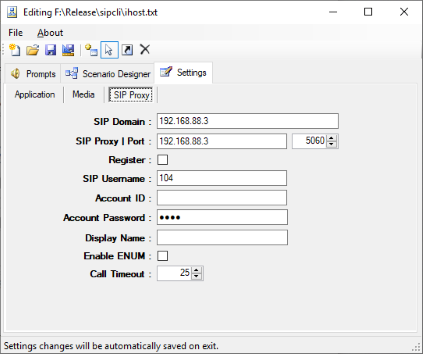

SipCLI is a command-line utility for testing SIP services and automating VoIP calls. It is intended for network administrators, VoIP engineers and developers who need to exercise SIP servers or repeat communication tasks from scripts and terminal commands. Its command-line workflow suits environments where checks need to run unattended or be incorporated into existing operational and test processes.
The tool can send SIP OPTIONS requests to check how a service responds and can register an account with a SIP server. It also supports call setup with INVITE and call termination with BYE, allowing users to test more than simple reachability. These operations help isolate issues in registration, signaling and call handling without requiring a graphical softphone. SIP requests can use UDP or TCP transport, which makes it possible to test services under different transport configurations.
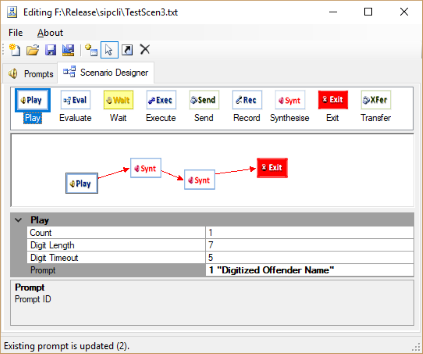
For repeatable checks, SipCLI can run scripted tasks, including multiple calls or periodic SIP messages. This can reduce manual work during routine service checks and help generate traffic for basic stress and performance evaluation. Its configurable SIP headers, codecs and authentication credentials let operators adapt requests to the account and server being tested, or reproduce selected conditions when troubleshooting interoperability.
SipCLI also supports secure SIP (SIPS) and TLS for encrypted signaling. Together with its call and registration functions, this makes it useful for checking secure as well as standard SIP configurations. Typical tasks include verifying a new SIP account, testing a server after a configuration change, checking responses over UDP and TCP, and automating repeated signaling scenarios. Results and behavior can be assessed through the command-line workflow, which is practical for remote administration and scripted environments.
KaplanSoft distributes SipCLI as freeware. It is a lightweight Windows command-line program, rather than a graphical calling application, and is aimed at users comfortable configuring and running terminal tools. It supports Windows 10 and Windows 11, along with a range of earlier Windows desktop and server editions. Administrators should choose test credentials and call targets appropriate to their environment, particularly when running repeated or load-generating scripts.