Database Browser Portable
Database Browser Portable is a Windows utility for connecting to databases, browsing and modifying records, and running SQL scripts. It is intended for database users who need a single interface for working ...

SQLiteStudio is an open-source graphical manager for SQLite databases. It supports SQLite 3 objects, including tables, indexes, views, and triggers, and includes an SQL editor with syntax highlighting, autocompletion, and error highlighting. Users can import data by drag and drop and export it as CSV, SQL, or XML. Its portable operation and plugin architecture suit developers and others who need a flexible tool for inspecting, querying, and maintaining database files.
| Author: | SalSoft Pawel Salawa |
| License: | Open Source |
| Price: | FREE |
| Released: | Jan 6, 2026 |
| File size: | 38.60 MB |
| Downloads: | 199 |
| Keywords: | download SQLiteStudio, SQL editor, manage sqlite databases, database manager, open-source software, SQLite, Pawel Salawa, database management, user-friendly interface, SQLiteStudio free download, SalSoft, sqlite database manager, cross-platform, SQLite manager, trigger, sqlite query tool, manage SQLite database, sqlite database editor, sqlite sql editor, SQLiteStudio, cross-platform compatibility, query, open-source, database, sqlite csv export |
| Author URL: | https://sqlitestudio.pl/ |

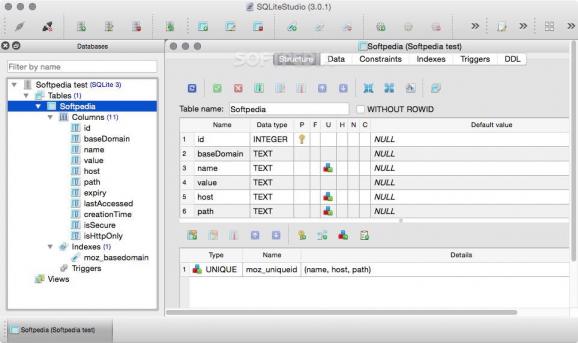
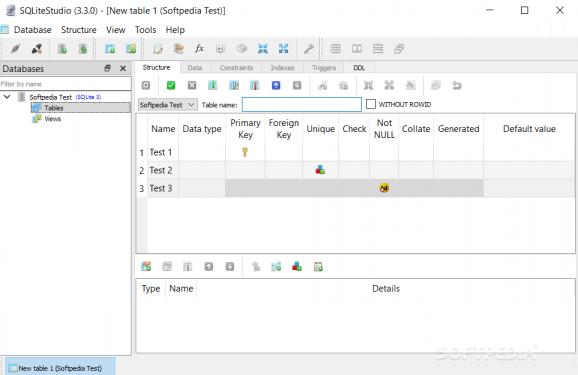
SQLiteStudio is an open-source graphical database manager for people who create, inspect, or maintain SQLite databases. Its interface brings common database objects and operations together, making it useful for developers working with application data as well as users who need to browse and edit a database without relying solely on command-line tools.
The program supports SQLite 3 features and lets users work with tables, indexes, views, and triggers. These objects can be managed through the graphical interface, while the SQL editor provides a place to write and run queries. Syntax highlighting distinguishes parts of a statement, autocompletion helps enter SQL, and error highlighting makes problems easier to spot during editing. Together, these tools support both occasional queries and more involved database work.
For moving data into and out of a database, SQLiteStudio offers drag-and-drop importing and export to formats including CSV, SQL, and XML. This can help when loading data from another source, preparing a portable database script, or opening query results in other software. A plugin architecture allows the program's capabilities to be extended, so additional functions can be added to suit particular workflows. The application is portable and can run without a conventional installation, which is useful for working from different computers or keeping a database utility separate from the host system's installed applications.
SQLiteStudio can be used to inspect a database during application development, make changes to its structure, run queries for analysis, or exchange data with other tools. Developers can use it to check tables and triggers while refining an application, while analysts can query local SQLite files and export selected data for further processing. Its visual tools are also practical for users who need to understand a database's structure before editing it.
SQLiteStudio is free and open source. It is available for Windows, macOS, and Linux; this listing covers the Windows release, including Windows 10 and Windows 11. The Windows software supports both 32-bit and 64-bit editions of Windows 10, and also supports Windows 8 and Windows 7. Because the program is portable, it can be run directly rather than installed through a setup process.