Tipard HD Video Converter for Windows 10 - Full description
Tipard HD Video Converter is a Windows application for converting high-definition and standard video files into formats suited to different playback and editing needs. It is aimed at people who need to handle files from cameras or other sources, prepare videos for another device, or extract audio without using a separate media tool. Its support for formats including AVCHD, MTS, TS, HD MKV, MP4, AVI and MOV covers common HD and general-purpose video workflows.
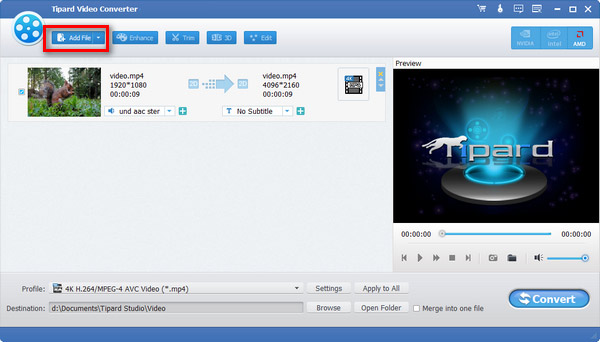
The conversion workflow starts by adding source files, either through the drag-and-drop interface or the file controls, and choosing an output format. Batch conversion lets users queue multiple videos and process them together, which is useful when preparing a collection of clips in one format. The software is designed to convert HD files while retaining their resolution and image detail, and its acceleration technology is intended to reduce waiting time when processing larger videos.
Basic editing tools allow users to make adjustments before conversion. They can trim sections from a clip, crop its frame, or combine multiple videos into one file. Watermarks can be added when an output needs identifying text or imagery, while brightness, contrast and saturation controls provide a way to tune the picture. These options keep common preparation tasks within the same workflow, so a clip can be edited and then converted without first exporting it to a separate editor.
The program can also extract audio from video and save it as MP3, AAC or WAV. This can be used to create a standalone audio file from footage, such as a music or spoken segment, or to prepare a track for a compatible player. Together, format conversion, simple picture adjustments and audio extraction make the application useful for organizing personal video libraries, adapting camera footage for playback, and preparing files for mobile devices, tablets or gaming consoles.
Tipard HD Video Converter is commercial software offered as a demo. It supports Windows 10 and Windows 11, as well as Windows 7 and Windows 8 in 32-bit and 64-bit editions. Its interface and focused set of conversion and editing tools suit users who want routine media preparation in one desktop application; it is not presented as a full professional video-editing suite.