TopSales Basic for Windows 10 - Full description
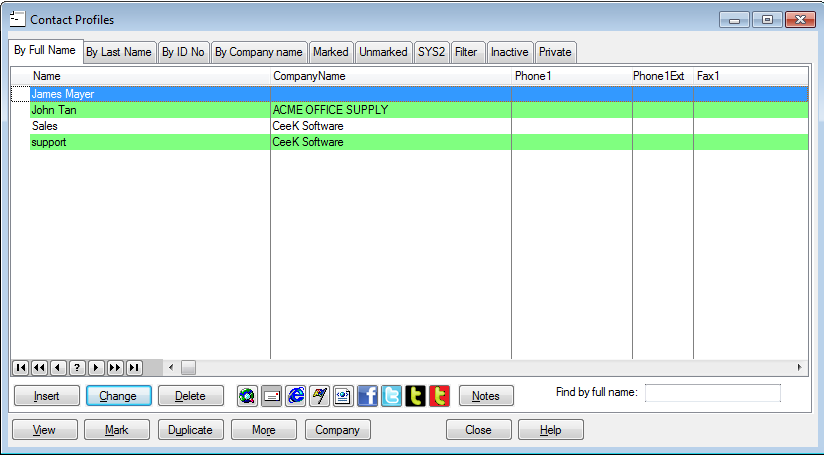
TopSales Basic is a sales and contact management application for online marketers and small or home businesses. It brings customer records, company details, mailing lists, email tools and document handling into one desktop workspace. Its contact and company lists help users keep customer information organized, while member groups can be used to sort contacts for different communications or business needs.
The mailing-list and message features support email outreach. Users can import contacts, prepare personalized messages using contact details, and send broadcasts through SMTP. An email log provides a record of messages, and a personal mailbox adds email handling alongside the campaign tools. These functions are intended to make routine customer follow-up and newsletter management part of the same workflow as maintaining contact records.
TopSales also includes document and sales administration tools. Contact fields can be merged into Microsoft Word documents to create individualized letters, memos and faxes. A document manager helps organize business files, while order, sales and inventory tracking supports everyday record keeping. Sales reports can be analyzed and printed, allowing small businesses to review activity and produce a paper record of results.
Additional utilities include a bookmark manager, office tools and synchronization with Microsoft Outlook. The feature set also includes product and contact lists for Windows Mobile, which may be useful to businesses that use that platform. Together, these tools cover common tasks such as maintaining customer relationships, preparing targeted communications, organizing documents and keeping track of sales operations without separating them across multiple applications.
TopSales Basic is freeware for Windows. Its stated operating-system support extends through Windows 10, including 64-bit editions, as well as earlier Windows releases. Businesses considering it for a current PC should check that the application works with their particular Windows configuration and email setup. The available features are geared toward individual marketers and smaller organizations rather than large-scale sales teams with complex CRM requirements.