Free Video to MP3 Converter
Free Video to MP3 Converter extracts audio from video files and saves it as MP3. It is ... soundtrack, song, speech or other audio from a video without converting the entire video for playback. The ...

Video To Video Converter is a freeware tool for converting video and audio files between formats. It offers a wide range of input formats and output presets, plus controls for video size and frame rate. Users can extract audio, trim and join clips, crop frames, apply basic filters, add subtitles or watermarks, and prepare or burn video DVDs.
| Author: | VVsoft |
| License: | Freeware |
| Price: | FREE |
| Released: | Aug 11, 2013 |
| File size: | 22.20 MB |
| Downloads: | 683 |
| Keywords: | Windows 10 compatible, video converter presets, x64 software, extract audio from video, user-friendly interface, convert video files, AVI to 3GP, Converter, Video To Video Converter, video format converter, VVsoft, Video To Video, Encoder, Video Converter, Video2Video, video joiner and splitter, multimedia conversion, video to dvd converter |
| Author URL: | http://www.vvconverter.com/ |

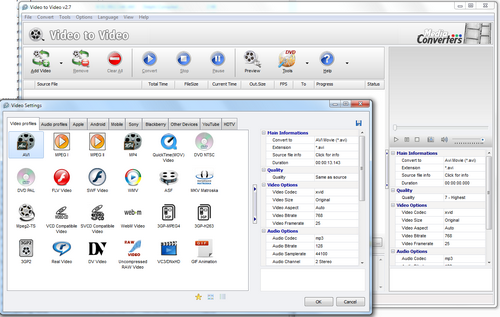
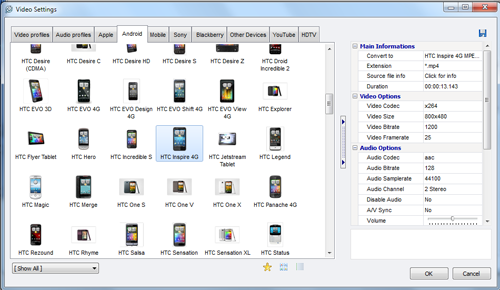

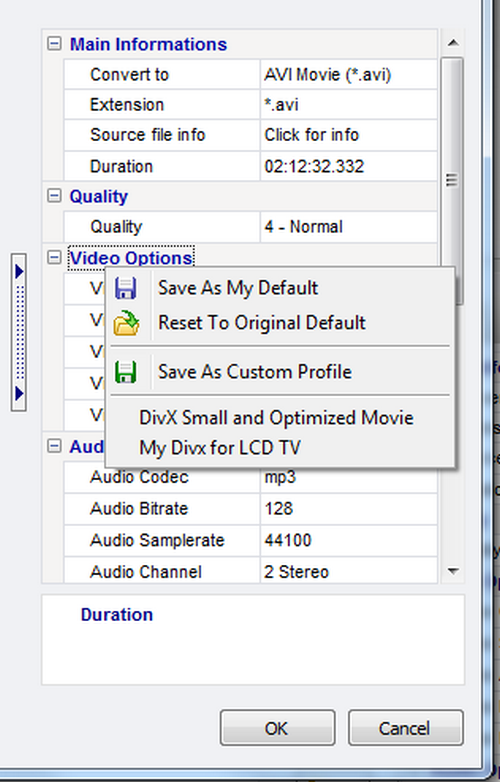



Video To Video Converter is a freeware desktop application for converting video and audio files between formats. It is suited to people who need to prepare clips for different devices or media players, extract sound from video, or make straightforward edits before conversion. The program offers a large collection of input formats and output presets, so users can choose a ready-made profile or adjust video settings themselves.
For a conversion, users select source files, choose an output format or preset, and set options such as frame width, height and frame rate. Supported video outputs include AVI, DivX, Xvid, MPEG, H.264, MOV, WMV, 3GP, MKV, WebM, SWF and FLV; audio can be saved in formats such as MP3, AAC, WAV, FLAC and Ogg Vorbis. Audio tracks can also be extracted from video and saved as separate files. Basic filters, subtitles and watermarks can be applied before processing, while live preview and snapshots help check the result.
Editing tools handle common preparation tasks without requiring a separate editor. The splitter cuts selected portions so only the desired scenes need conversion, and the joiner combines and sorts multiple clips into one output movie. Cropping removes unwanted edges from the picture. Other built-in tools can remove commercial segments, turn video frames into images or thumbnails, and create a video from still pictures. A DVD ripper supports subtitles, including foreign-language subtitles, and the application can author and burn video DVDs.
These features make the converter useful for changing older or less common media into formats supported by current playback software, extracting a soundtrack, trimming footage, or assembling a simple sequence from several clips or images. Its presets provide a quicker route for routine conversions, while manual size and frame-rate controls are available when the output needs specific dimensions. The range of tools is aimed at practical file conversion and light editing rather than a full professional video-production workflow.
Video To Video Converter is freeware and is available for Windows systems, including Windows 10. A portable edition is also offered for running the application without a standard installation. The software supports multiple interface languages. Its broad format and preset support can be useful for handling varied media collections, though the appropriate output settings depend on the intended device or playback software.