x264 Video Codec (64bit)
x264 is an open-source software library and command-line encoder for creating video in the H.264/MPEG-4 AVC format. It is intended for video editors, developers, media technicians ...

vokoscreenNG is a free, open-source screen recorder for Windows 10 and 11. It captures the entire display, a selected window or a chosen area, with options for resolution, frame rate and video and audio formats. Record system sound, microphone input or both, and add webcam footage to a session. Mouse highlighting, countdown timers and watermarks support tutorials, presentations and demonstrations.
| Author: | Volker Kohaupt |
| License: | Open Source |
| Price: | FREE |
| Released: | Oct 3, 2026 |
| File size: | 126.00 MB |
| Downloads: | 223 |
| Keywords: | screen capture software, download vokoscreenNG, open source screen recorder, user-friendly interface, video capture, capture, vokoscreenNG, screen recording with audio, Volker Kohaupt, cross-platform compatibility, screen recording, record computer screen, Linux, screencasting, vokoscreenNG free download, customizable settings, casting, record screen, webcam screen recorder, educational tutorials, open source, high-quality output, screen capture, screen, screen recorder, screen casting |
| Author URL: | https://linuxecke.volkoh.de/vokoscreen/vokoscreen.html |
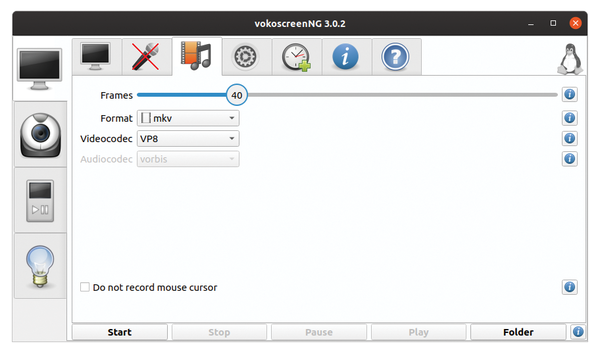
vokoscreenNG is an open-source screen recorder for Windows, suitable for educators, software developers, content creators and anyone who needs to show activity on a computer. It can capture the whole display, a particular window or a selected region, so recordings can focus on a demonstration without including unrelated desktop content. Its straightforward controls make it practical for both occasional recordings and repeatable tutorial workflows.
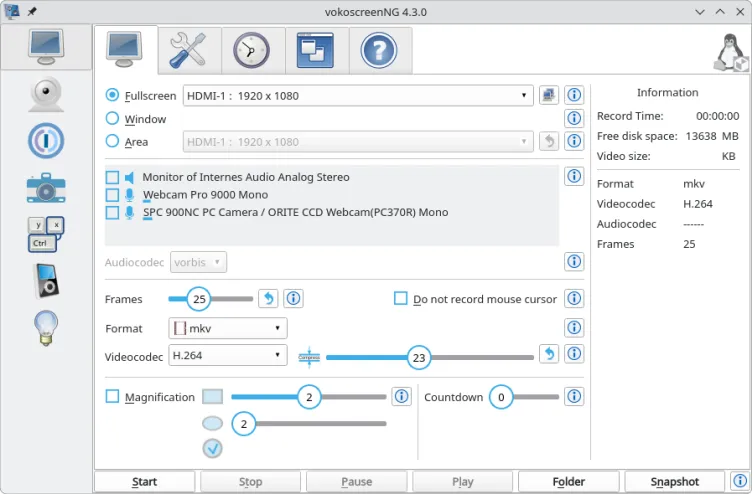
For a recording, users choose the capture area and can adjust resolution and frame rate to suit the content and intended output. The software offers multiple video and audio format options. Audio can come from the system, a microphone or both, allowing narration to accompany application sounds. Webcam footage can also be included, which is useful for presentations or lessons where the speaker should appear alongside the screen.
Additional controls help shape a recording as it is made. Mouse highlighting can make pointer movements easier to follow in a tutorial, while a countdown timer gives the presenter time to prepare before capture starts. Watermarks can identify or brand the resulting video. The main window provides access to recording controls, audio-source selection and format settings, keeping common setup tasks together.
Typical uses include recording software walkthroughs, lessons, presentations, gameplay and other on-screen demonstrations. A selected-window or region capture can keep a focused explanation uncluttered, while full-screen capture suits presentations or tasks that move between applications. Combining microphone narration with system audio is useful when both spoken instructions and application sounds need to be heard; webcam capture adds a visible presenter when appropriate.
vokoscreenNG is free and open source. It is available for Windows 10 and Windows 11, including 32-bit and 64-bit Windows systems. The Windows download is approximately 126 MB. Recording options and the choice of capture area allow users to tailor sessions to different kinds of content without requiring a separate screen-capture workflow for each task.