Windows Live Messenger for Windows 10 - Full description
Welcome to the home of Windows Live Messenger, a top-tier communication software developed by the tech giant, Microsoft. This platform is your gateway to seamless and efficient communication, offering an array of features designed to enhance your messaging experience.
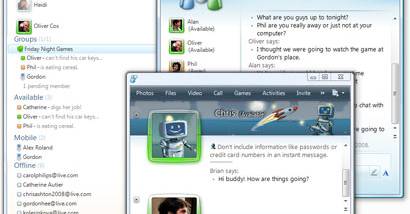
Windows Live Messenger is more than just a messaging app. It's a hub for connecting with friends, family, and colleagues across the globe. With its user-friendly interface, you can easily send instant messages, share photos, and even engage in video calls. It's all about making communication as effortless and enjoyable as possible.
But that's not all. Windows Live Messenger also integrates with other Microsoft services. You can check your Hotmail, access your OneDrive, and even connect to Xbox Live, all from within the app. It's a versatile tool that brings all your communication needs into one convenient place.
Microsoft's commitment to security is also evident in Windows Live Messenger. The software employs advanced encryption technologies, ensuring your conversations remain private and secure.
So why wait? Dive into the world of seamless communication with Windows Live Messenger. It's not just a messaging app, it's a communication revolution!