Xilisoft AVI MPEG Joiner for Windows 10 - Full description
Xilisoft AVI MPEG Joiner is a desktop video utility for combining separate clips into one file. It is suited to people assembling footage, merging recordings, or creating a continuous video from segments without using a full nonlinear editing suite. The program supports AVI and MPEG as well as formats including MP4 and WMV, so it can work with a range of common source videos.
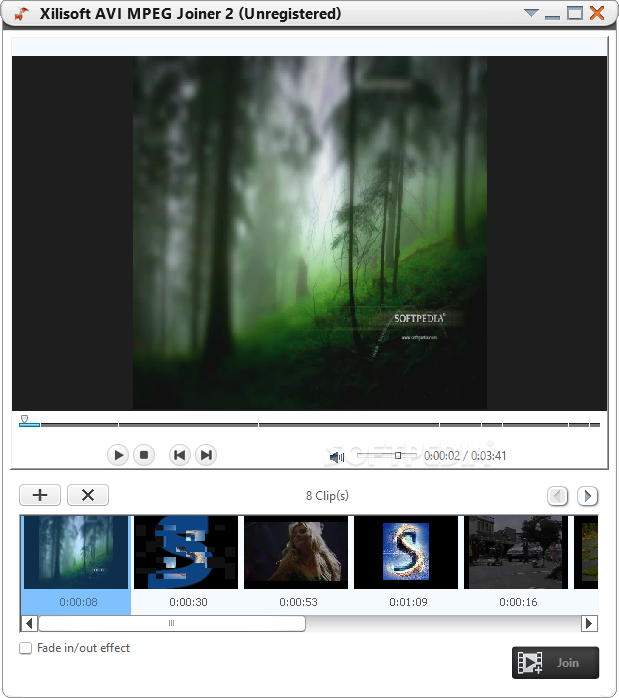
The joining workflow centers on arranging clips in the intended order. Users add files by dragging and dropping them into the program, reorder them, and start the merge. A preview helps check the assembled project before producing the final file, which is useful for catching ordering issues or reviewing the sequence. The tool focuses on joining rather than detailed timeline editing, making it appropriate when the main task is to combine clips.
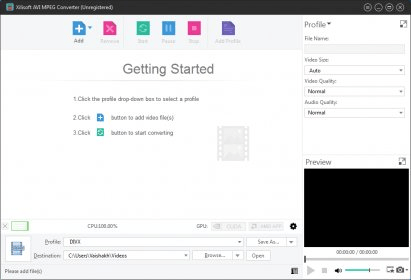
Output settings provide control over video size, frame rate, and bit rate. These options can be used to match a particular playback or publishing requirement, or to balance image detail against file size. The software is intended to preserve the source video quality during merging, while the available settings allow output characteristics to be adjusted when needed. Batch processing can join multiple sets of videos, reducing repetitive work when preparing several combined files.
Typical uses include joining parts of a recording, assembling clips into a longer video, or consolidating footage before sharing or playback. A preview and an ordered file list support a straightforward prepare-review-merge workflow; users can arrange each set of clips before processing rather than editing every segment individually. The emphasis is on practical file combination, not effects, transitions, or a broad suite of editing tools.
Xilisoft AVI MPEG Joiner is offered as demo software. It supports Windows 11 and Windows 10, along with older Windows releases including Windows 8, 7, Vista, and XP; the stated support includes 32-bit and 64-bit editions for Windows 10, 8, 7, and Vista. It is designed for joining compatible video files on a Windows PC, with output options available for tailoring the resulting video.