7-Zip Portable
7-Zip Portable is a Windows file archiver for people who need to create and open compressed files without installing the program on each computer. Packaged as ...

7-Zip is a free, open-source archiver for creating compressed files and opening archives in many formats. Its 7z format uses LZMA and LZMA2 compression, with adjustable settings for balancing file size against processing time. It also creates ZIP, TAR, GZIP and other archives, and extracts formats such as RAR, ISO, CAB and disk images. Features include AES-256 encryption, self-extracting 7z files, Windows Explorer integration, a file manager and command-line tools.
| Author: | 7-zip |
| License: | Open Source |
| Price: | FREE |
| Released: | Jun 19, 2024 |
| File size: | 1.24 MB |
| Downloads: | 1198 |
| Keywords: | open rar files, Password protection, deb, bzip2, iso, file compression software, files compression, file management, 7-zip download, 7-Zip, rpm, file manager, Compression utility, High compression ratio, cpio, lzma, pkzip, File archiver, arj, zip tools, winrar, create 7z archive, rar, zip file extractor, Windows integration, lzh, gzip, nsis, cab, winzip, free file manager, tar, Open source software, 7zip, archive encryption, bz2, chm, zip format |
| Author URL: | https://www.7-zip.org/ |
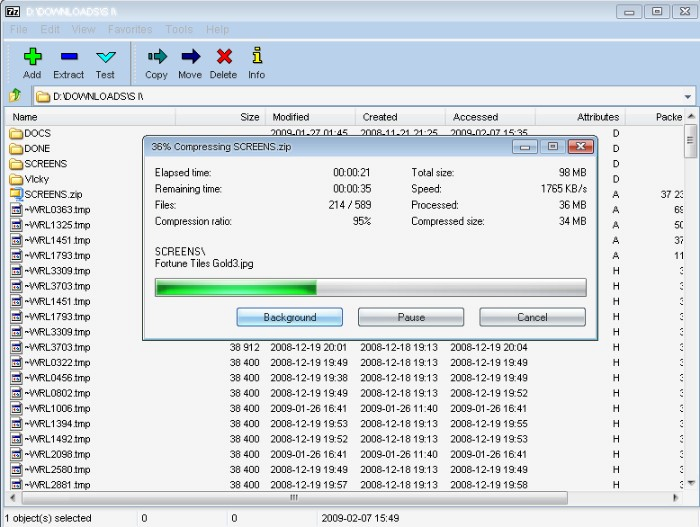

7-Zip is a free, open-source file archiver for creating compressed files and opening archives in a wide range of formats. It is useful for anyone who needs to reduce file sizes, package files for sharing or backup, or inspect archives received from other people. Its 7z format uses LZMA and LZMA2 compression, with adjustable settings that let users trade processing time and system resources for smaller archives.
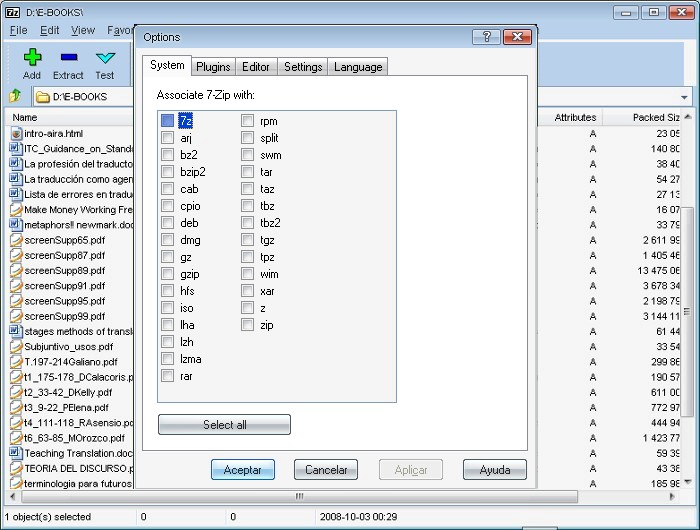
The program can create and extract 7z, XZ, BZIP2, GZIP, TAR, ZIP and WIM archives. It can also open many additional formats, including RAR, ISO, CAB, ARJ, MSI, DMG, VHD and VMDK. This broad extraction support makes 7-Zip a practical tool for handling downloaded installers, disk images and archives without needing a separate utility for every format. ZIP and GZIP files can also be created, while the 7z format offers self-extracting archives for recipients who may not have an archiver installed.
For protected archives, 7-Zip supports AES-256 encryption in 7z and ZIP formats, allowing a password to be set when creating an archive. Windows Shell integration adds archive actions to File Explorer's context menu, so common tasks such as extracting files or testing an archive can be started from the file itself. The built-in file manager provides another way to browse folders and work with compressed files, while the command-line version supports scripted and repeatable operations. A plugin is also available for FAR Manager.
Typical uses include compressing folders for email or transfer, unpacking files from software downloads, creating encrypted backups and extracting disk-image contents. The compression level and related options can be adjusted for different tasks; higher settings may take longer and use more system resources. The interface is straightforward, with the context menu and file manager offering distinct ways to access its tools.
7-Zip is open-source software and can be used without registration or payment, including in commercial organizations. Most of its source code is licensed under the GNU LGPL; the unRAR code has additional restrictions. It supports Windows 10 and Windows 11, as well as older Windows releases. The interface is localized into many languages.