AB Commander for Windows 10 - Full description
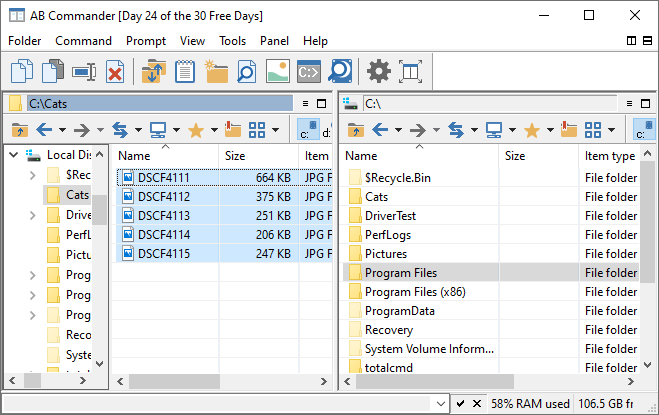
AB Commander is a file manager for Windows that gives users an alternative to handling files in separate Explorer windows. Its dual-pane layout displays two folder locations side by side, making it useful for people who regularly compare directories or move groups of files between folders. The interface builds on familiar Windows file-management operations while putting both sides of a transfer within view.
The two panes support everyday tasks such as copying, moving, renaming and deleting files and folders. Users can select items in one location and transfer them to the other without repeatedly navigating between windows. A synchronization feature helps compare or update folder contents across storage locations, which can be useful for keeping working copies consistent. Search tools help locate items in large folder collections, while the built-in viewer allows supported files to be previewed without opening another application.
The workspace can be adjusted with layout, color and font options, and keyboard shortcuts can be customized for frequently used commands. These settings let users shape the interface around their preferred way of working, whether they rely on mouse navigation or keyboard commands. File encryption and secure deletion provide additional tools for handling sensitive data: encryption can protect selected files, while secure deletion is intended for files that should not remain readily recoverable after removal.
AB Commander is suited to routine organization as well as more involved file workflows. Home and office users can sort folders, copy documents between locations, search for misplaced files and preview content before opening it. People maintaining matching copies in different storage locations can use synchronization, while users who handle confidential files may find the encryption and deletion options relevant. The paired-folder view is especially practical when a task involves repeated transfers or direct comparison of two locations.
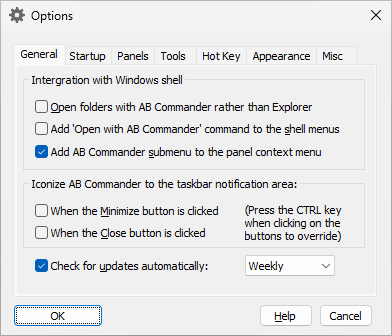
The program is trialware and is available for Windows 10 and Windows 11; it also supports Windows 7 and Windows 8. Windows 10 and Windows 8 support both 32-bit and 64-bit systems, as does Windows 7. Its integration with Windows Explorer helps keep common file operations familiar, while the additional pane and utilities provide a more focused workspace for managing folders.