FileVoyager for Windows 10 - Full description
FileVoyager is a freeware file manager for Windows built around two side-by-side file panels. Each panel can browse local disks, folders, network shares, archives and FTP or FTPS locations, giving users a consistent workspace for moving between different storage sources. The layout is useful for routine file management as well as transfers that involve comparing or organizing content in two locations.
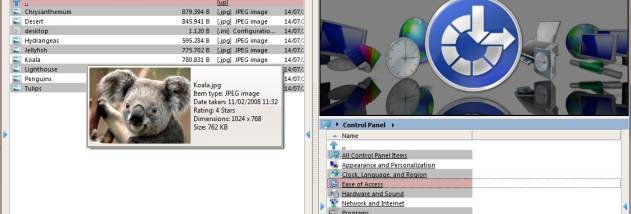
The panels support several display modes, including report and thumbnail views, so files can be inspected as lists or visually. Common operations include copying, moving, renaming, creating links, deleting and sending items to the recycle bin. These actions work across supported containers, allowing files to be moved between folders, archives and remote locations without treating each source as a separate application. Folder comparison and synchronization tools help identify differences and align the contents of two directories.
FileVoyager also handles archive browsing and compression. It can create archives in formats such as ZIP, 7z, GZip, BZip2, XZ, TAR and WIM, and unpack those along with formats including RAR, CAB, ISO, ARJ, LZH and LZMA. Archive support is provided through 7-Zip integration. For quick inspection, the built-in preview tools can render many kinds of files, including images, supported office documents, ebooks and comic books. Document viewing covers formats such as PDF, EPUB, MOBI, FB2, DJVU, CBR and CBZ, using SumatraPDF components; source code highlighting is powered by Scintilla.
Media files can be previewed or played using installed codecs and available Windows Media Player or VLC components. Playlist formats including M3U, PLS, ASX, WPL, MPCPL and XSPF are supported. Other viewing options include flat-text and hexadecimal displays, as well as support for character encodings such as UTF-8, UTF-16, EBCDIC and various single-byte ANSI encodings. These tools make the manager useful for checking unfamiliar files, reviewing code or inspecting content without opening a separate program for every format.
FileVoyager is intended for Windows 10 and Windows 11, with support for 32-bit and 64-bit Windows 10 and 64-bit Windows 11. It is freeware and is available in English, Czech and French. Its combination of file operations, remote browsing, archive handling, comparison tools and previews suits users who want a single desktop workspace for managing files and examining their contents.