PhotoFlare Lens
... allowing work to continue in programs such as Lightroom or darktable. This provides a way to use Lens for initial development without tying the editing ...

Adobe Photoshop Lightroom combines photo editing with library management for hobbyists and working photographers. It provides controls for exposure, contrast and color, along with selective edits, gradient filters and presets. Tags, ratings, categories and search help organize photo collections, while non-destructive editing preserves original images. Creative Cloud can sync work across supported devices, and export options prepare images for sharing.
| Author: | Adobe |
| License: | Trialware |
| Price: | $11.99 |
| Released: | Sep 30, 2026 |
| File size: | 3.20 MB |
| Downloads: | 3673 |
| Keywords: | creative cloud, photo library management, graphic, picture, cloud photo editing, adobe photo editing software, non destructive photo editor, image manipulation, image, Adobe Systems, digital photography, photo editing software, image organizer, sort pictures, lightroom photo editor, Adobe Photoshop Lightroom, graphic editor, lightroom photo organizer |
| Author URL: | https://acrobat.adobe.com/us/en/acrobat/pdf-reader.html |




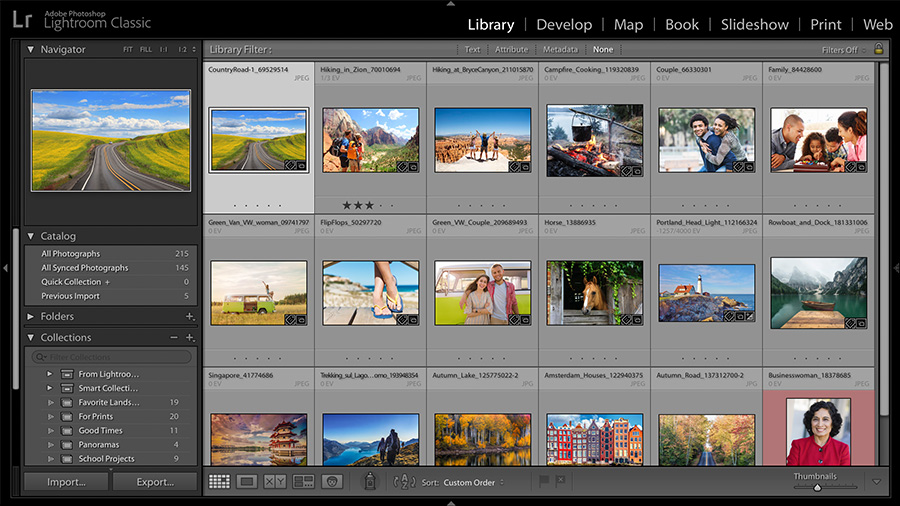
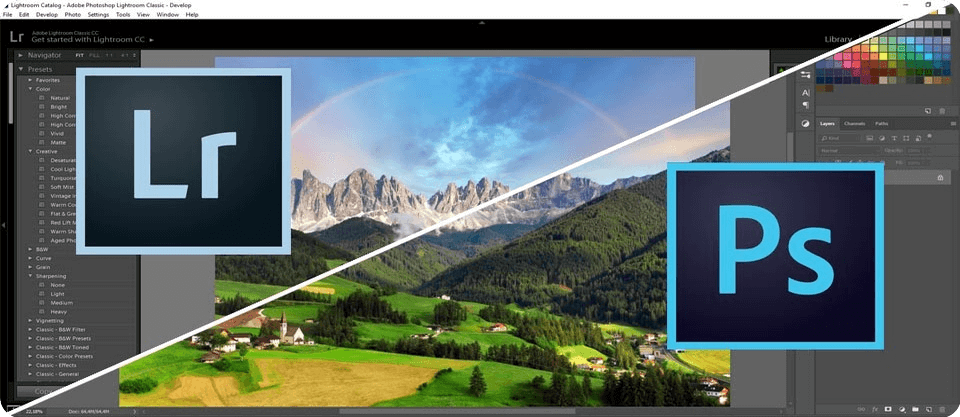


Adobe Photoshop Lightroom is a photo editing and library-management application for photographers who want to adjust images and keep large collections organized in one workflow. Its tools cover everyday corrections as well as more detailed color and tonal work, making it useful for hobbyists managing personal photos and professionals processing shoots. The interface brings editing controls and photo organization together, so users can move from finding an image to refining and exporting it without switching applications.
Lightroom's editing controls include adjustments for exposure, contrast, color and other image properties. Selective editing tools let users apply changes to chosen areas rather than the entire frame, while gradient filters help shape adjustments across parts of a picture. Presets provide ready-made combinations of edits that can be applied for a consistent look, and settings can also be customized for more precise results. Editing is non-destructive: adjustments are stored separately from the original image, allowing them to be changed or removed without overwriting the source.
For collection management, users can organize photos with tags, ratings and categories, then search to locate images in a library. Adobe Sensei-powered features can help find particular photographs in large collections. These tools are useful for sorting a growing archive, selecting images from a shoot or returning to previously edited work. Lightroom also supports export options for preparing finished images in different formats and sizes, while sharing and publishing features provide ways to distribute completed work.
Creative Cloud integration can sync photos, edits and organizational changes across supported devices, allowing work to continue beyond a Windows computer. This is helpful for photographers who edit on a desktop and want access to their work on a tablet or smartphone. The workflow suits tasks such as correcting a batch of event photos, maintaining a searchable personal archive, preparing images for online sharing and applying a consistent treatment across a project.
Lightroom is trialware from Adobe and is available for 64-bit Windows 10 and Windows 11. Its combination of image adjustments, library tools, presets, selective edits and cloud synchronization makes it suited to users who need both photo organization and editing in the same application. The editing workflow preserves original files, while export controls let users create output copies for sharing or other uses.