Able Batch Image Converter
... 10 users seeking a powerful solution to effortlessly convert and manipulate images in batches. Introducing "Able Batch Image Converter" by GraphicRegion.com. This exceptional software empowers you to ...

BulkPic is a batch image processor for applying common changes to several pictures in one workflow. Its single interface combines image navigation and selection with controls for resizing, rotating, compressing and converting files. It also offers borders, image-level adjustments, grayscale and sharpening effects, with options selected through checkboxes and drop-down menus. It is suited to routine, repeatable edits rather than detailed retouching.
| Author: | TkoSoft |
| License: | Freeware |
| Price: | FREE |
| Released: | Oct 23, 2026 |
| File size: | 5.10 MB |
| Downloads: | 473 |
| Keywords: | convert image, resize images in bulk, BulkPic, compress image files, BulkPic free download, convert, download BulkPic, rotate multiple images, batch photo editing, enhance, bulk image processor, resize, batch image converter, rotate, picture resizing, rotate image |
| Author URL: | https://www.tkosoft.com/products/filebricks |
BulkPic is a batch image processor for users who need to apply common adjustments to several pictures in one workflow. It brings image browsing, file selection and processing controls together in a single interface, helping organize routine edits without opening each image separately. Its tools focus on practical operations such as resizing, rotating, compressing and converting images, along with basic visual adjustments and effects.
The central workflow starts with navigating to image files and selecting the items to process. Processing options are controlled through checkboxes and drop-down menus, so the same set of adjustments can be applied consistently across the selected pictures. Resizing is useful for preparing images for a shared display or upload size, while rotation can correct orientation across a group. Compression reduces image data, and conversion changes files between supported formats; the available formats depend on the program's format support.
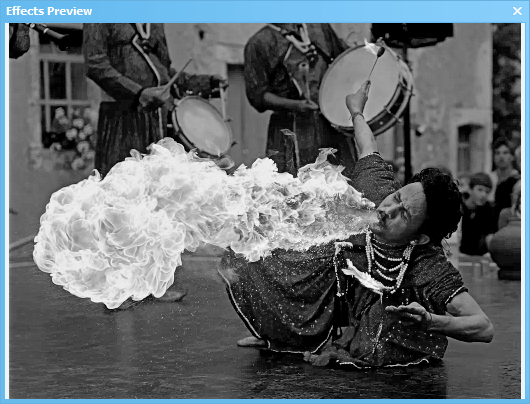
Additional controls include borders and image-level adjustments, as well as grayscale and sharpening effects. These options let users make simple presentation or tonal changes during the same batch operation rather than handling every file individually. Combining several selected operations can help standardize a collection, although the program is aimed at straightforward image processing rather than advanced retouching or detailed, per-image editing.
BulkPic suits everyday tasks such as preparing a folder of pictures for a website, making a set of images more consistent in size or orientation, or applying a quick effect to many files. Its selection-based approach is useful when the same treatment is appropriate for an entire group. Users who need precise edits tailored separately to each image may prefer a dedicated image editor, while BulkPic is centered on repeatable batch adjustments.
BulkPic is freeware from TkoSoft for Windows 10 and Windows 11, including 32-bit and 64-bit Windows 10 systems. The download is approximately 5.2 MB. It provides a focused set of common image operations in a centralized interface, with batch processing as its main workflow.