Mailbird
Mailbird is a desktop email client for managing email accounts from a Windows computer. It suits people who ... correspondence. Its interface can be used for straightforward email tasks or as a dashboard for organizing work ...

Affixa is a Windows utility that streamlines sending files by connecting desktop file handling with email. Users can drag and drop files into messages, work with services such as Gmail and Outlook, and switch between multiple accounts. For large files, it offers compression and upload options for Dropbox or Google Drive, allowing links to be shared instead of bulky attachments. It requires .NET Framework 3.5 SP1 and is distributed as a demo.
| Author: | Notably Good Ltd. |
| License: | Demo |
| Price: | FREE |
| Released: | Dec 18, 2024 |
| File size: | 12.10 MB |
| Downloads: | 278 |
| Keywords: | account, Affixa software, send large files by email, gmail desktop integration, Windows 10 compatibility, email attachment manager, desktop email integration, attachment manager, outlook attachment tool, drag and drop email attachments, webmail account, x64 system requirements, attachment, webmail file sharing, email, email management tool, Notably Good Ltd, email account |
| Author URL: | http://www.affixa.com/ |

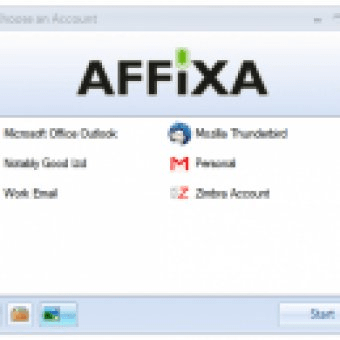


Affixa is a Windows email utility for people who want to send files through webmail or desktop email with fewer steps. It connects file handling on the computer with email services, helping users prepare messages and attachments without repeatedly navigating through folders and mail interfaces. It is intended for both everyday correspondence and work that involves sending documents or other files regularly.
The central workflow is drag and drop: files can be dragged from the desktop into Affixa or an email composition window to add them to a message. This reduces the need to open an attachment picker and browse to each file. Affixa supports services including Gmail and Outlook, and can work with multiple accounts, making it useful for people who switch between personal and work mail. Account selection helps route a message through the appropriate email service rather than requiring users to sign out and back in between accounts.
For files that may be too large to send as ordinary attachments, Affixa offers options to compress files or upload them to services such as Dropbox and Google Drive, then include links in the email. This approach can help keep messages within attachment limits and lets recipients retrieve files separately. These tools are aimed at managing the practical steps around sending files, rather than replacing a full email client or cloud-storage service.
Affixa fits into workflows where email is the main way of sharing files, including sending business documents, images, and other attachments. Its desktop integration is designed to make common actions such as choosing files, selecting an account, and preparing an email more direct. Settings can be adjusted to suit individual preferences, while support for both webmail and desktop email workflows gives users flexibility in how they send messages.
Affixa is commercial software distributed as a demo. It requires .NET Framework 3.5 SP1 and supports Windows 10 and Windows 11, as well as earlier Windows releases. Users should check that the required .NET component is available on their system before installing. As with any email and file-sharing workflow, the sender should confirm that the chosen account and sharing permissions are appropriate before sending sensitive material.