AIDA64 Engineer for Windows 10 - Full description
AIDA64 Engineer is a Windows system information, diagnostics and benchmarking utility for IT professionals, engineers and technicians. It provides detailed information about a computer's hardware and software, helping users identify components, investigate technical problems and document system configurations. Its coverage includes processors, motherboards, storage devices, network adapters and connected peripherals, so it can be used both for a quick component check and for a more thorough hardware inventory.
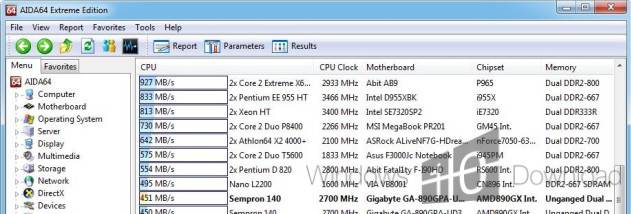
The built-in benchmarks measure the performance of components such as the CPU, memory and storage devices. These tests help compare configurations, check whether a newly installed component is performing as expected and record a baseline for later troubleshooting. Alongside benchmark results, diagnostic information can help narrow down potential hardware or configuration issues. The readings are useful when evaluating systems under demanding workloads, where performance and stability both matter.
For ongoing observation, AIDA64 Engineer displays live readings for system temperatures, voltages, fan speeds and power consumption. This lets technicians watch changing conditions during testing or routine operation and spot readings that may warrant further investigation. The software can also create detailed reports, with customizable content and export options including HTML, CSV and XML. Reports provide a practical way to share findings with colleagues, retain configuration records or compare information collected at different times.
Network audit capabilities allow information to be collected from remote systems, supporting administrators who need to review or troubleshoot more than one computer. Rather than inspecting each machine only at its desk, IT staff can use the collected system details as part of a broader inventory and support workflow. The combination of local diagnostics, monitoring, benchmarks and reporting makes the program suitable for hardware evaluation, maintenance, technical support and documenting deployed systems.
AIDA64 Engineer is developed by FinalWire Ltd. and is distributed as demo software. It is intended for Windows computers, including Windows 10 and Windows 11, as well as a range of Windows Server environments. Its extensive hardware detail and measurement tools are aimed primarily at users who need more than basic system information; familiarity with computer components and performance readings can help when interpreting the results.