Portable ArsClip
Portable ArsClip is a freeware clipboard utility for Windows users who copy and paste frequently. It monitors the clipboard and keeps copied content available so ...

ArsClip is a freeware clipboard utility that saves a history of copied items for later use. A configurable hotkey opens the clip selector, where users can choose one or more entries to paste into another program. It stores 15 text clips by default and can monitor non-text content such as pictures, rich text, files, Unicode and HTML. Permanent clips, macros and an optional clipboard viewer support frequently reused content and paste automation.
| Author: | Jackass JoeJoe |
| License: | Freeware |
| Price: | FREE |
| Released: | Oct 25, 2026 |
| File size: | 4.90 MB |
| Downloads: | 402 |
| Keywords: | copy paste utility, clipboard viewer, paste macros, Windows 10, paste item, monitor, hotkey, clipboard monitor, Clipboard Manager, x64 software, clipboard manager, JoeJoeSoft, clipboard hotkey tool, clipboard history tool, Jackass JoeJoe, ArsClip, keypress emulation, clipboard |
| Author URL: | https://www.joejoesoft.com/ |

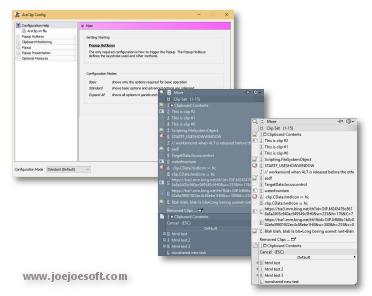



ArsClip is a freeware clipboard utility for Windows users who copy and paste text or other content throughout the day. It monitors the clipboard and saves a history of copied entries, making earlier items available without having to copy them again. A configurable hotkey opens the clip selection window, where one or more saved items can be chosen for pasting into another program.
The history stores 15 text entries by default, with the option to keep more. ArsClip can also be configured to monitor non-text clipboard content, including pictures, rich text, files, Unicode text and HTML. This makes the clip list useful for more than plain words: users can retrieve different kinds of content they have copied and paste them into applications that support those formats. The program can paste multiple selected entries, which helps when assembling a message or document from several previously copied items.
Permanent clips keep frequently reused content available beyond the ordinary clipboard history. Macros provide copying and pasting automation, while configurable hotkeys support quick access to clips and actions. An optional Clipboard Bar acts as a clipboard viewer, offering another way to see and select stored entries. Windows 7 Jumplist support provides an additional access point on that operating system. An optional global clipboard feature can share clips with other Windows and Android devices.
ArsClip is suited to people who repeatedly reuse snippets, move content between applications, or want a record of recent clipboard activity. A writer could retrieve a copied passage after replacing it with something else; an office user could keep standard text as permanent clips; and someone working with mixed content could access copied files, images or formatted text from the same utility. Its configurable behavior lets users choose which clipboard content to monitor and how they prefer to select and paste items.
ArsClip is freeware and supports Windows 10 and Windows 11, as well as earlier Windows releases including XP, Vista, 7 and 8. Its optional device-sharing feature is intended for Windows and Android devices. The included Delphi source code may be modified for non-profit use. The utility is focused on clipboard history, reusable clips and paste automation rather than replacing the clipboard features built into Windows.