Uninstall Tool
Uninstall Tool by CrystalIDEA Software is a powerful and ... from your Windows 10 system. Unlike the standard uninstaller, Uninstall Tool offers a comprehensive solution that not ...

Ashampoo UnInstaller Free removes desktop programs and Windows apps, then scans for files and other traces left behind by their standard uninstallers. Its application list shows details such as size and status to help identify software. An in-depth cleaning option checks for leftovers, while installation monitoring can make changes from new software setups easier to track. It is designed for individual removals rather than bulk cleanup.
| Author: | ashampoo GmbH and Co KG |
| License: | Freeware |
| Price: | $40.00 |
| Released: | Oct 5, 2026 |
| File size: | 31.70 MB |
| Downloads: | 76 |
| Keywords: | Ashampoo UnInstaller Free free download, uninstall application, remove, leftovers, install, uninstall, in-depth scan, deep uninstall tool, Ashampoo UnInstaller Free, windows app remover, leftover cleaner, download Ashampoo UnInstaller Free, clean uninstall utility, remove leftover files, software installation monitor, program uninstaller |
| Author URL: | https://www.ashampoo.com/en-us/photo-organizer |
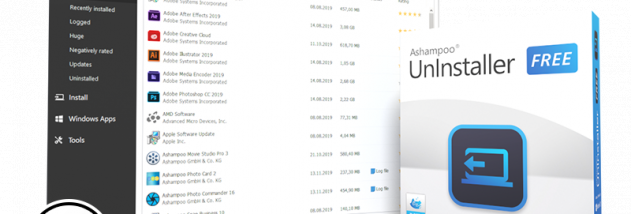


Ashampoo UnInstaller Free is a Windows utility for removing installed programs and cleaning up files and other traces that may remain after a standard uninstall. It is intended for people who want more control over software removal than the built-in Windows process provides, including users who prefer a guided interface over manually searching the system for leftovers. Its application list brings installed programs together in one place, with details such as size and status to help identify an entry before removing it.
To uninstall a desktop program, the user selects it from the list and starts the removal process. A confirmation step helps prevent accidental selection and offers an in-depth cleaning option. After the program's own uninstaller has run, Ashampoo UnInstaller scans for associated items left behind, giving users a chance to review and remove those traces. This follow-up scan is useful when an application's standard removal process leaves files or related data on the PC, although it does not replace a backup or careful review of anything marked for deletion.
The utility also supports monitoring software installations. Installing an application through Ashampoo UnInstaller allows it to track changes made during setup, which can make related components easier to locate later. This approach is most useful for programs installed after monitoring begins; it does not mean that every existing installation has a complete installation history available. The interface organizes its functions through a sidebar and a main area for the selected tool, keeping application management and removal tasks accessible without requiring users to search through multiple Windows settings screens.
Ashampoo UnInstaller Free can also remove Windows apps, including apps distributed through the Microsoft Store, which use a different installation and removal route from conventional desktop software. This gives users a single utility for handling both types of apps, rather than relying exclusively on the standard Windows removal controls. The program is suited to occasional cleanup as well as routine maintenance when trying out software, replacing an application, or removing an app that is no longer needed. It does not offer bulk removal, so applications must be handled individually.
The software is freeware for Windows 10 and Windows 11, and it also supports Windows 7 and Windows 8. An account sign-in is required to use the program. Its straightforward layout is approachable for less experienced users, while the scan and installation-monitoring options provide additional control for users who want to check what software leaves behind. As with any cleanup utility, reviewing scan results before deleting items helps avoid removing data that may still be needed.