Audacity for Windows
Audacity is a free, open-source audio editor and recorder for people who need to capture sound, work with existing recordings, or prepare audio for sharing. ...

Audacity is a free, open-source audio editor and recorder for multitrack projects, podcast production, music mixing, and general sound editing. It can record live audio, import and export formats such as WAV, FLAC, AIFF, AU, and OGG Vorbis, and edit clips with cut, copy, and paste tools. Effects include noise processing, equalization, filters, fades, normalization, echo, and phaser, with previews and plugin support.
| Author: | Audacity |
| License: | Open Source |
| Price: | FREE |
| Released: | Nov 2, 2026 |
| File size: | 47.50 MB |
| Downloads: | 613 |
| Keywords: | User-friendly interface, audio effects editor, support, music mixing software, music mix, multiple, audio recording software, formats, Windows 10 compatibility, audio editor, Multitrack recording, editor, Open-source software, Audacity audio editing, Noise reduction feature, audacity, music cut program, podcast editor, multitrack audio editor, audio |
| Author URL: | https://www.audacityteam.org/ |




Audacity is an open-source audio editor and recorder for people who need to capture sound, edit existing recordings, or assemble music and spoken-word projects. It supports multitrack work, making it suitable for podcast editing, music mixing, preparing audio from tapes, and trimming or arranging clips. Its tools cover both straightforward edits and more detailed processing, so users can move from a quick cut to shaping the sound of a complete recording.
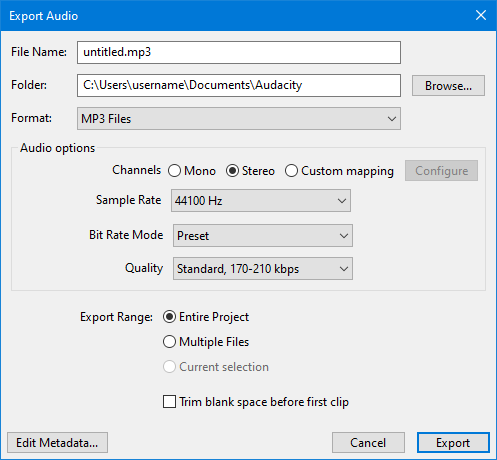
Audio files can be brought into a project by opening them or dragging them onto the workspace, with multiple tracks available for arranging and mixing. The selection and zoom tools help isolate a short passage or work accurately on a small section of a waveform. Cut, copy, and paste operations handle basic changes, while the integrated playback controls let users listen to edits before saving or exporting. Supported formats include WAV, FLAC, AIFF, AU, and OGG Vorbis; Audacity can import, process, and export audio in these formats.
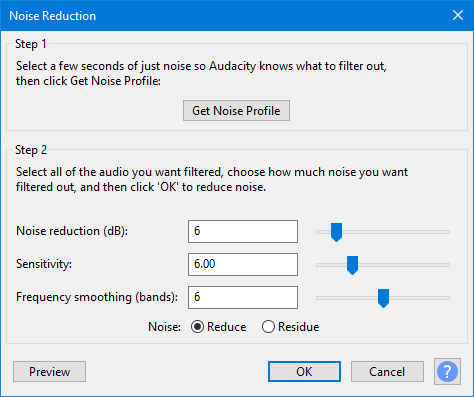
Effects provide ways to adjust sound without leaving the editing workflow. Noise processing can help address unwanted background sound, while equalization, bass adjustment, and high- or low-pass filters shape frequency content. Other available treatments include amplification, normalization, fades, reversal, echo, and phaser effects. Effect settings can be adjusted, and previews let users hear the result before committing changes. Plugin support allows additional processing options to be added.
The program also includes recording and playback features, track mixing, and spectrum analysis. These tools support a range of tasks, from recording live audio and cleaning up a spoken-word track to balancing music layers and examining the frequency content of a recording. A multitrack project can keep separate audio parts available for individual editing and mixing, while selection and preview tools help check changes as work progresses.
Audacity is free and open source, and this Windows release is intended for Windows 10 and Windows 11 on 32-bit and 64-bit systems. Its editing workspace offers substantial control, though new users may need time to become familiar with the interface and track controls. The program is useful for home recording, podcast production, audio conversion, and general sound editing where a dedicated multitrack editor is preferred.