VB3
... sound of famous tonewheel organs. It is a Windows 10 compatible software that brings the vintage organ experience right to your desktop. VB3 is not just ...

AudioWave uses a computer sound card as a low-frequency signal generator, producing sine, noise and modulated signals from 1 Hz to 20 kHz in 1 Hz steps. Left and right channels have independent frequency, level and attenuation controls, with optional channel linking and adjustable phase shift. It also supports programmed frequency and level progressions and named presets for repeatable tests.
| Author: | ABACOM |
| License: | Demo |
| Price: | $49.90 |
| Released: | Jan 28, 2011 |
| File size: | 1.50 MB |
| Downloads: | 302 |
| Keywords: | low frequency generator, high-quality sound processing, waveform visualization, audio noise generator, audio signal generator, Windows 10 compatible, modulated signal generator, sound card test tone, generator, stereo phase test, audio editing tool, LF signal, x64 software, signal generator, generate, ABACOM AudioWave, generate signal |
| Author URL: | http://www.abacom-online.de/ |
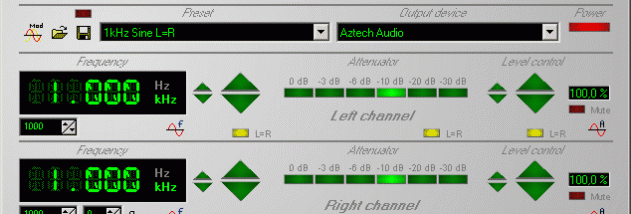
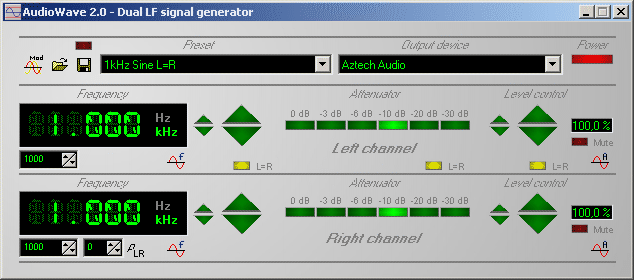
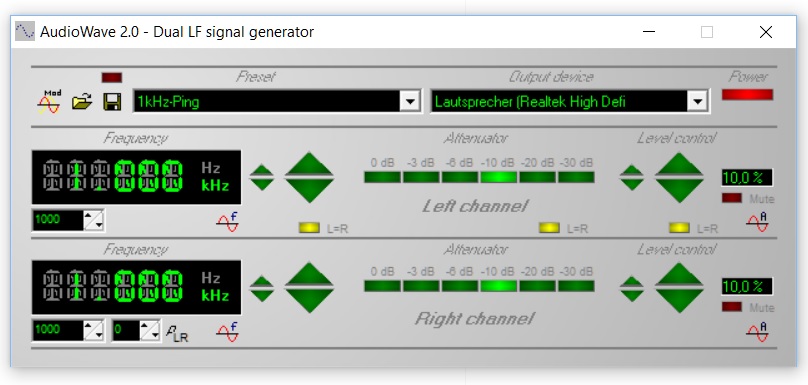

AudioWave turns a computer sound card into a low-frequency signal generator for testing audio equipment, checking signal paths and producing controlled tones. It generates signals from 1 Hz to 20 kHz in 1 Hz steps, with separate controls for the left and right stereo channels. This makes it useful for audio hobbyists and technicians who need adjustable test signals without a standalone generator.
The program produces sine waves and noise, as well as modulated signals. Frequency, output level and attenuation can be set independently for each channel, allowing different settings to be sent to the left and right outputs. An optional channel-linking function keeps the two sides together when matching settings is more convenient. Phase shift between channels is adjustable from -180° to +180°, which helps create and inspect stereo test conditions.
An attenuator provides selectable reductions of 0, 3, 6, 10, 20 or 30 dB. Automatic frequency and level progressions can be programmed to vary output over time, making it possible to run a sequence of test values instead of changing them manually. Configurations involving several settings can be saved as named presets and recalled for repeat tests.
Typical uses include checking amplifier and speaker response, tracing faults in an audio chain, evaluating stereo equipment and creating tones for general signal experiments. The output depends on the computer's sound card and its connection to the equipment under test, so the sound card's capabilities and output level affect the result. AudioWave is distributed as demo software and is intended for Windows systems, including Windows 10; the supplied system information does not establish Windows 11 support.