Bixorama for Windows 10 - Full description
Bixorama is a panorama conversion and editing program for photographers, designers, and other creators working with 360-degree images. It helps move panoramic pictures between different projection formats and make basic visual adjustments. Its format support is useful when an image needs to be prepared for a particular viewer, project, or panoramic workflow.
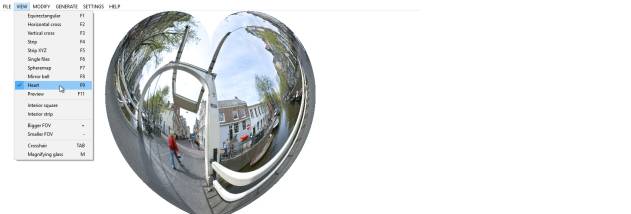
The program works with formats including equirectangular, cylindrical, cubic, and tiled cubic panoramas. Users can convert an image from one supported format to another, which helps when source files and the intended destination use different layouts. This makes Bixorama useful for organizing panoramic assets and adapting them for virtual tours, presentations, or other multimedia projects. The conversion process is designed around selecting an image and choosing the required output format.
Bixorama also includes controls for brightness, contrast, and color balance. These adjustments let users make straightforward corrections to a panorama before saving or using it elsewhere, without requiring a separate image editor for every small change. For projects that start with regular photographs, the program can stitch multiple images together to create a panorama. Batch processing handles multiple images in one operation, reducing repetitive work when preparing a collection of files.
The combination of conversion, basic correction, panorama creation, and batch handling suits both occasional tasks and workflows involving larger sets of images. A hobbyist can assemble a panoramic view from photographs, while a designer or photographer can convert and adjust existing 360-degree material for a project. The supported projection types cover several common panoramic layouts, though users should check that a specific target application accepts the chosen output format.
Bixorama is commercial software offered as a demo. It runs on 64-bit Windows 10 and Windows 11, as well as 64-bit Windows 7 and Windows 8. Its focused toolset is intended for panoramic image work rather than general-purpose photo editing, making it most relevant to users who need format conversion or simple corrections alongside panorama creation.