Check Flash for Windows 10 - Full description
Check Flash is a Windows utility for testing, formatting and maintaining USB flash drives. It is intended for users who need to check a drive's read and write performance, inspect its surface, manage partition information or erase stored data. Its maintenance operations work directly on the selected drive or partition, so choosing the correct device is important.
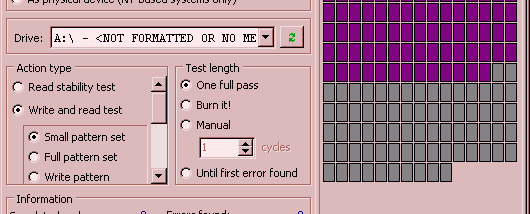
The surface test checks the drive for readable and writable areas, helping identify problems with flash storage. Separate speed tests measure reading and writing performance, which can help compare devices or investigate slow transfers. These checks are useful when assessing a drive's condition, though they do not replace keeping a separate copy of important files.
For drive management, Check Flash can edit partition information and save or restore images of an entire drive or an individual partition. It can also save and restore the master boot record (MBR), which contains startup and partition-related information. These image and MBR operations support copying a drive's current layout for later restoration; the resulting files can be large relative to the amount of data being handled.
Formatting and cleaning options erase data from a full drive or a selected partition. They can be used to prepare storage for reuse or remove existing contents, but these operations may destroy files, so any needed data should be backed up before starting. The program is freeware. It is a compact Windows application, with support documented for Windows 7, Windows 8 and Windows 10, including 64-bit editions.