MBOX File Converter
Welcome to the home of the MBOX File Converter, a powerful and innovative software solution developed by the renowned Converter Tools. This software is a must-have for anyone ...

ConvertXtoHD converts video files into high-definition projects for Blu-ray players and other HD devices. Users can adjust resolution, bitrate and aspect ratio, trim or combine clips, add subtitles and apply effects. It creates customizable disc menus, processes files in batches, and can burn a Blu-ray disc or save an ISO image.
| Author: | VSO-Software |
| License: | Trialware |
| Price: | $39.99 |
| Released: | May 22, 2026 |
| File size: | 43.10 MB |
| Downloads: | 367 |
| Keywords: | add subtitles to Blu-ray, video converter, converter, blu-ray burning software, convert, User-friendly interface, convert Blu-ray, VSO-Software, dvd to blu-ray, encoder, High-definition conversion, copy Blu-ray, Blu-ray creator, ConvertXtoHD, convert video to iso, video to HD, hd video converter, Video editing, burn Blu-ray, video disc authoring, convert to HD, vso converter, blu-ray menu creator, Blu-ray burning, burn, get Blu-ray quality, video to blu-ray converter, AVCHD creator |
| Author URL: | https://www.vso-software.fr/ |

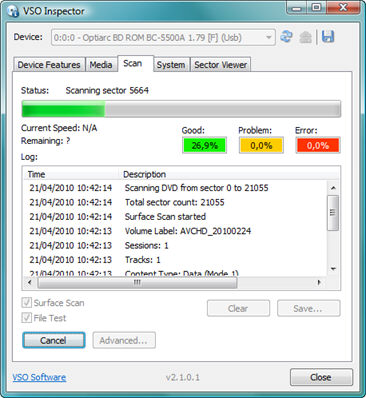


ConvertXtoHD is a video conversion and Blu-ray authoring application for people who want to prepare video files for playback on Blu-ray players and other HD devices. It converts supported video formats into high-definition disc projects, with options to burn the result to Blu-ray or save it as an ISO image. Its drag-and-drop workflow provides a straightforward way to add clips to a project before choosing output settings and starting conversion.
Output controls let users adjust resolution, bitrate and aspect ratio to suit the material and intended playback. Before conversion, the built-in editing tools can trim unwanted sections, combine multiple clips, add subtitles and apply visual effects. These options help prepare a collection of source videos as a single, more polished project, rather than requiring separate editing and authoring applications for basic changes.
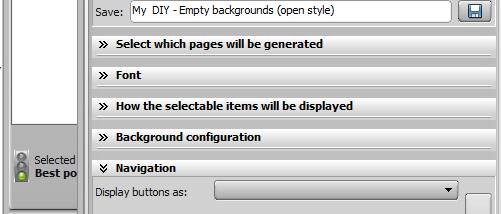
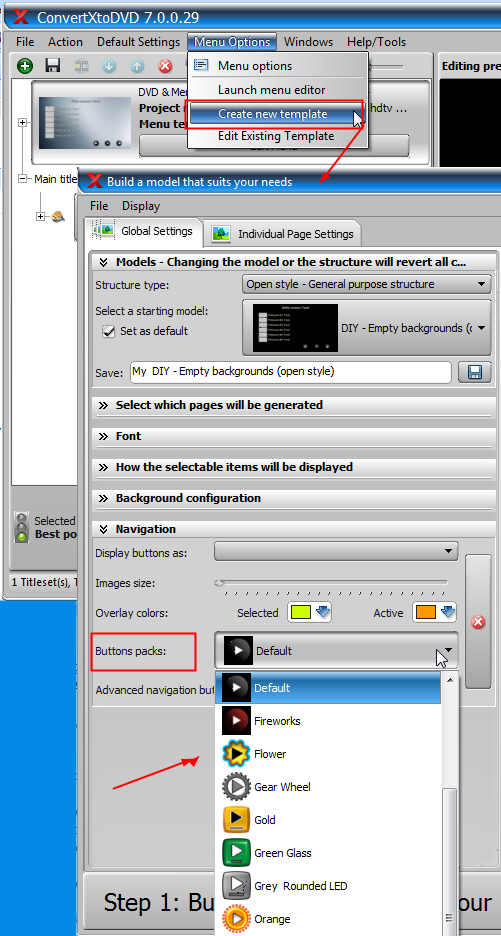
For disc projects, ConvertXtoHD can generate menus using available templates, or users can customize a menu to give a home movie collection or presentation a more tailored layout. Batch processing handles multiple files in a queue, reducing the need to configure and start each conversion separately. Multi-core processing and hardware acceleration are available to speed up conversion on supported systems. When the project is ready, it can be written directly to a Blu-ray disc or saved as an ISO for later use.
The program is suited to home users organizing video collections, preparing edited clips for Blu-ray playback, or creating disc-based presentations. Its combination of conversion, simple editing, menu creation and disc output keeps the main stages of this workflow together. The available output adjustments also let users balance image quality and file requirements according to their project, while subtitles and menu customization provide additional control over how finished videos are presented.
ConvertXtoHD is commercial trialware from VSO-Software. It supports Windows 11 and Windows 10, as well as older Windows versions including Windows 8, 7, Vista and XP, in 32-bit and 64-bit editions where applicable. Conversion speed can depend on the computer and whether compatible hardware acceleration is available. Users should check that their system has a Blu-ray writer and suitable blank media if they plan to burn discs; ISO output offers an alternative for storing a project without writing it immediately.