ShapeBook with 2D3DSteel
... the renowned South Fork Technologies, Inc. This powerful Windows 10 compatible software is a versatile tool for professionals in the steel industry, offering a comprehensive ...

DAVID-Laserscanner turns a PC, camera and hand-held line laser into a low-cost 3D scanning setup. Place an object against a known background corner, sweep the laser line across its surface, and the software calculates 3D coordinates from the camera's view. Multiple viewpoints can be combined into a 360-degree model with the separate DAVID-Shapefusion application. It is freeware for Windows.
| Author: | Simon Winkelbach |
| License: | Freeware |
| Price: | FREE |
| Released: | Jan 18, 2019 |
| File size: | 4.30 MB |
| Downloads: | 523 |
| Keywords: | scan, DAVID-Laserscanner, Windows 10 compatible, laser scanner, webcam 3d scanner, 3D scanning software, free 3d scanning software, object digitizing software, DAVID-3D.com, scanner, digitizer, 3d laser scanner software, x64 architecture, 3D digitizer, david laserscanner, 3D scanner, Simon Winkelbach, laser line 3d scanning |
| Author URL: | http://www.david-laserscanner.com |
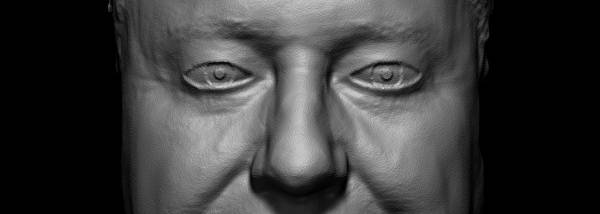

DAVID-Laserscanner is freeware for creating 3D scans with a low-cost setup built from a PC, a camera such as a webcam, a laser that projects a line, and a known background corner. It is intended for hobbyists, educators, makers, and others who want to digitize physical objects without dedicated commercial scanning hardware. The scanning method uses the camera to observe a laser line as it moves across the object, while the software calculates 3D coordinates for the visible surface.
To prepare a scan, the object is positioned in front of a background with known geometry, such as the 90-degree corner formed by two walls or two accurately angled planes. The camera is aimed at the object and the laser is moved by hand, brushing its line across the surface. This arrangement provides the reference geometry needed for the software to interpret the observed line and derive surface measurements. A stable object position and clear camera view are important to the process because the scan is assembled from the surface information captured during the sweep.
The hand-held laser approach avoids the need for a motorized scanning rig: the operator controls where the line travels, and the computer performs the coordinate calculation. This makes the setup adaptable to different objects and lets users work with readily available camera equipment. DAVID-Laserscanner focuses on capturing the surfaces visible from a particular viewpoint; areas hidden from the camera or laser cannot be captured in that pass and require scanning from another side.
For a complete model of an object, scans can be made from multiple sides. DAVID-Shapefusion is a separate companion application developed to align and combine those scans into a 360-degree model. This multi-view workflow is useful when a single camera-and-laser sweep cannot see the entire object, though it requires collecting additional views and bringing them together with the companion tool.
The software is free to use and is designed for laser-based 3D range scanning rather than general photo editing or document scanning. It supports Windows 10, as well as earlier Windows releases including Vista, 7, and 8. The basic setup requires a PC, camera, line-projecting laser, and a background corner or other known-angle geometry; the scanning hardware is assembled separately rather than supplied as part of the program.