Diagram Designer for Windows 10 - Full description
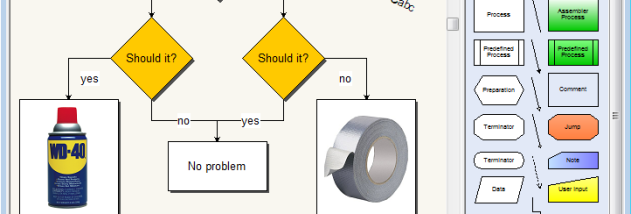
Diagram Designer is a freeware vector graphics editor for making flowcharts, UML diagrams, technical sketches and other structured illustrations. It is suited to users who need to arrange shapes and text into clear diagrams without working in a full desktop-publishing or computer-aided-design application. Its visual, object-based workspace makes it possible to build a diagram by placing elements on a page and connecting related parts.
The editor provides a collection of shapes that can be positioned, resized and adjusted to suit a layout. Text labels add explanations to individual objects, while connectors show relationships and process flow between them. These tools are useful for mapping procedures, outlining system components or preparing simple explanatory graphics. Because the elements remain editable, a diagram can be revised as a project changes instead of being redrawn from scratch.
Diagram Designer also includes an equation solver and a graph plotter, extending its use beyond ordinary diagrams. The plotter can turn mathematical functions into visual graphs, while the equation tool helps with solving equations. These functions can be useful in educational and technical work where a visual representation accompanies calculations. The program can also handle vector and bitmap graphics, allowing diagrams to be exchanged or incorporated into other documents in common image formats.
Typical projects include process flowcharts, UML-style software diagrams, classroom illustrations, organization charts and basic technical plans. It can help students explain a concept, developers sketch software structure, and office users document a workflow. The focus is on creating and editing individual visual documents rather than managing a photo library or building a general-purpose presentation with advanced animation.
The program is freeware and is available for 64-bit Windows 10 and Windows 11. Its compact installation makes it a practical option for users seeking a dedicated diagram editor without a large design suite. As with other vector editors, complex layouts are easier to maintain when objects are arranged clearly and labels are kept concise. Diagram Designer is intended for creating diagrams and illustrations; it is not a substitute for specialized CAD tools or advanced publishing software.