CloudXplorer
... tool is designed to simplify your interaction with cloud storage services on Windows 10. CloudXplorer is a robust, user-friendly software that allows you to explore your cloud storage as if it were a regular file system. ...

Disk Bench is a Mail.Ru desktop client for managing multiple cloud storage accounts from one interface. It connects services including Google Drive, Dropbox and OneDrive, with tools for synchronization, file transfers, search, previews and version history. Sharing options and access controls support collaborative file workflows. The demo runs on Windows 10 and Windows 11 and requires .NET Framework 4.5.
| Author: | Mail.Ru |
| License: | Demo |
| Price: | FREE |
| Released: | Sep 30, 2024 |
| File size: | 6.80 MB |
| Downloads: | 187 |
| Keywords: | speed testing, cloud storage manager, Upload, cloud storage, Disk-O: free download, storage analysis, manage google drive and dropbox, benchmark tool, online access, Backup File, transfer files between cloud accounts, Mail.Ru, disk performance, Backup, mail.ru cloud client, Cloud Storage, Cloud Backup, download Disk-O:, cloud file synchronization, cloud file sharing app, secure backup, OneDrive, file sharing, user-friendly interface, Disk-O:, Synchronize, collaboration tools, Mail.Ru software |
| Author URL: | https://disk-o.cloud/en/ |


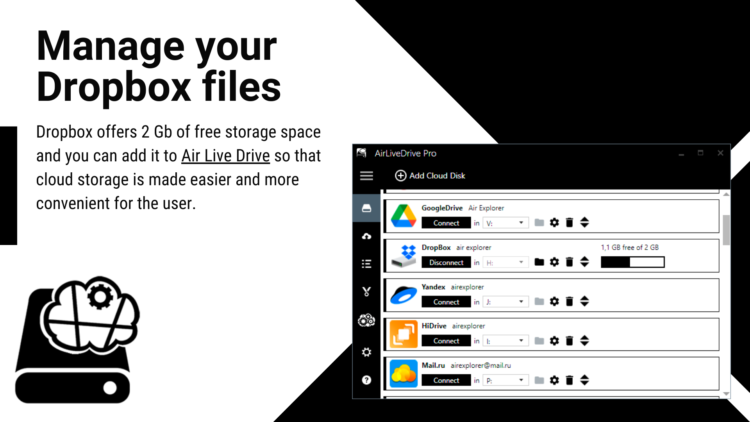

Disk Bench is a desktop client from Mail.Ru for bringing cloud storage accounts together in one place. It is intended for people who keep files across multiple online services and want a single Windows interface for browsing and managing them. The client connects services such as Google Drive, Dropbox and OneDrive, reducing the need to switch between separate applications or web pages.
Connected accounts appear in a shared workspace where files can be accessed and transferred. Synchronization keeps supported content up to date across connected services, which can help when working with documents from different locations or coordinating files with other people. Drag-and-drop transfers provide a direct way to move files between cloud accounts without first managing each service in a separate interface.
Sharing tools allow files and folders to be made available to colleagues, friends or family, while access controls can be used to manage who is permitted to view or work with shared content. Search and file previews help locate and inspect items without opening each one individually. Version history is useful when an earlier copy of a file is needed, while the interface provides a central place to organize and review cloud-based material.
The combination of storage connections, synchronization and sharing suits both personal file management and collaborative work. Individuals can use it to keep documents and other files organized across accounts; teams can use the shared access and permission options to coordinate work on cloud-stored content. Its central interface is particularly relevant for users who regularly move files between services or need to locate items stored in more than one account.
Disk Bench is offered as demo software and requires .NET Framework 4.5. It is intended for Windows 10 and Windows 11, with support for 32-bit and 64-bit Windows 10 systems. The available feature information concerns cloud account management and file workflows; it does not describe disk speed testing or storage benchmarking.