DiskVista for Windows 10 - Full description
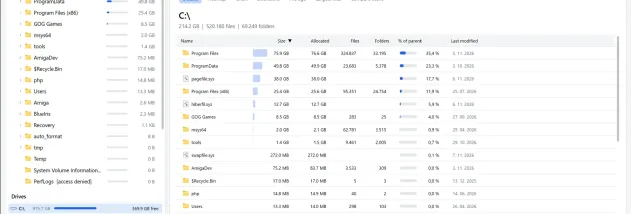
DiskVista shows which folders use the most space, what has grown since your last scan, and how your drives are performing. Explore storage usage, check drive health and measure read and write speeds in one Windows app. Explore disk usage: scan a drive or folder and see where the space goes. Explore the treemap to spot the biggest folders, then open the folder tree to see what is inside. See what changed: compare two saved scans to find which folders grew or shrank. Start with the biggest changes when a drive is suddenly running low on space. Check drive health: see drive details and available health readings, such as temperature and power-on hours. DiskVista shows why a reading is unavailable when the drive or Windows cannot provide it. Measure drive speed: run sequential and random read and write tests and watch the results update live. Use Quick mode for a spot check or Full mode to run the complete set of tests. Find duplicate files: choose a folder and find files with identical content. DiskVista only reads files; it never changes, moves or deletes them. Look at it your way: switch between details, treemap, chart, extensions, file age and largest files, with a filter box to narrow down the list.