3DP Chip
3DP Chip is a lightweight Windows utility for identifying key hardware components and finding drivers for them. It is intended for people setting up or troubleshooting ...

DriverToolkit is a Windows utility for finding, updating, backing up, restoring and removing device drivers. It scans a PC for hardware and helps locate drivers for components and peripherals, including graphics and sound cards, network adapters, printers and scanners. Users can save installed drivers before reinstalling Windows or setting up another PC, then restore the saved copies later. It can also identify hidden drivers left behind by removed hardware.
| Author: | Megaify Software |
| License: | Shareware |
| Price: | $29.90 |
| Released: | Jan 15, 2014 |
| File size: | 2.14 MB |
| Downloads: | 4084 |
| Keywords: | find missing drivers, DriverToolkit Download, driver management, driver backup utility, Backup Drivers, Install Drivers, driver updater, Uninstall Drivers, Unknown Devices, remove old drivers, x64 software, restore device drivers, Megaify Software, Update Drivers, Windows 10 compatibility, Find Drivers, DriverToolkit, hardware driver manager, system optimization |
| Author URL: | http://www.megaify.com |
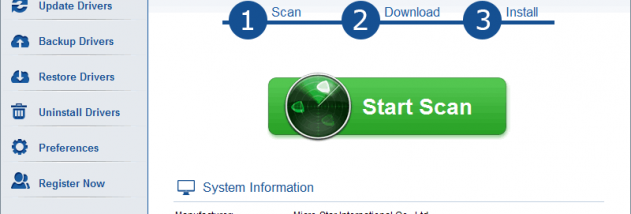
DriverToolkit is a Windows utility for finding, updating, backing up, restoring and removing device drivers. It is intended for people troubleshooting hardware that is not working correctly, preparing for an operating system reinstall, or maintaining several PCs with similar hardware. Its driver database covers components and peripherals such as motherboards, graphics and sound cards, network adapters, printers, scanners, keyboards and mice.
The program scans a PC for installed hardware and helps locate drivers for devices, including hardware that may be difficult to identify or whose driver is missing or outdated. Users can use the results to update drivers rather than searching for each device's driver manually. Keeping drivers current can help address problems caused by an outdated or incorrect installation, although a driver update is not a guarantee that every hardware fault will be resolved.
DriverToolkit can also make a copy of drivers already installed on a PC and restore them later. This is useful before reinstalling Windows, when installation media for a device is unavailable, or when setting up another computer with the same hardware configuration. A saved driver collection can reduce the need to locate and install each driver individually after a fresh system setup.
The utility can find hidden drivers that are no longer in use, such as leftovers from hardware that has been removed. Removing obsolete driver files can help with housekeeping before installing replacement hardware or newer drivers. Driver changes affect how Windows communicates with devices, so users should check the selected hardware and keep backups before making changes.
DriverToolkit is shareware from Megaify Software. It is an English-language desktop program, with the supplied system information covering older Windows releases and other Windows categories; Windows 10 and Windows 11 support is not established here. Its features are aimed at driver maintenance and recovery rather than general PC cleanup or hardware diagnostics.