FlashFXP
FlashFXP is a Windows file transfer client for website owners, administrators and anyone who ... to move files between a computer and remote servers. It supports FTP and SFTP connections, with tools ...

easyFTPClient is a Windows file-transfer client for moving files between a computer and remote servers. It supports FTP, FTPS and SFTP, and provides drag-and-drop transfers, simultaneous connection management, file synchronization and scheduled transfers. Automatic resume helps continue interrupted transfers. The trialware is intended for Windows 10 and Windows 11, in 32-bit and 64-bit editions.
| Author: | EuropeSoftwares |
| License: | Trialware |
| Price: | $19.99 |
| Released: | May 15, 2026 |
| File size: | 2.70 MB |
| Downloads: | 180 |
| Keywords: | .java, transfer, file transfer, easyftpclient, Windows 10, Online, sftp file transfer, server, Solaris, customer, Windows, Linux, ftp, data, x64, .xml, Internet, scheduled file transfer, EasyFtpClient, EuropeSoftwares, remote file manager, Macintosh, ftp client, ftps client, ftp synchronization, site, software review |
| Author URL: | https://www.europesoftwares.net/ |
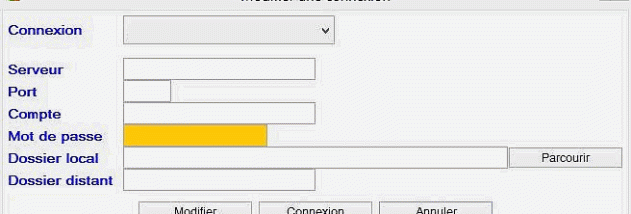
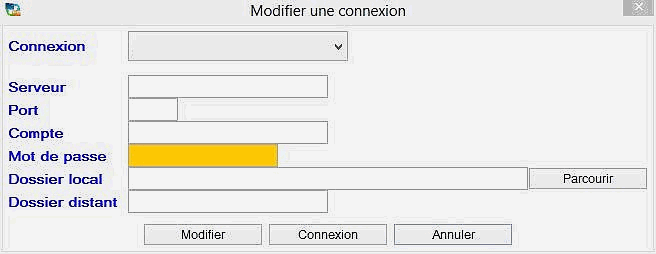

easyFTPClient is a Windows file-transfer client from EuropeSoftwares for users who move files between a computer and remote servers. It supports FTP as well as the secure FTPS and SFTP protocols, making it suitable for routine website maintenance, remote file access and business transfer tasks. Its interface is organized for straightforward connection and file management, serving both occasional users and people who work with remote files regularly.
The client provides drag-and-drop transfers between local folders and a remote server, reducing the need to select each file through separate transfer dialogs. Multiple connections can be managed at the same time, which helps when working across several servers or accounts. Support for FTPS and SFTP allows users to choose a protected connection when transferring data that should not travel as plain FTP traffic.
File synchronization helps keep copies in different locations aligned, a practical option for maintaining shared project files or updating remote content. A scheduler can automate transfers, so recurring file operations do not have to be started manually each time. For larger transfers or unstable connections, automatic resume can continue interrupted work after a connection drop, rather than requiring the transfer to begin again from the start.
These tools suit tasks such as uploading website files, retrieving documents from a remote server, and keeping local and remote project folders current. Simultaneous connections can also be useful for administrators and teams handling files across multiple destinations. The combination of manual drag-and-drop transfers, synchronization and scheduling supports both one-off jobs and repeatable workflows.
EuropeSoftwares distributes easyFTPClient as trialware. It is intended for Windows 10 and Windows 11, including 32-bit and 64-bit editions. The program is a client for transferring and managing files on remote servers; it is not an FTP server. Users should select the connection protocol supported by their server and use FTPS or SFTP when secure transfer is required.